Dive
A tool that lets you open a Docker image like a file explorer, layer by layer, so you can see exactly what's bloating its size and trim it down.
🔗 Visit Dive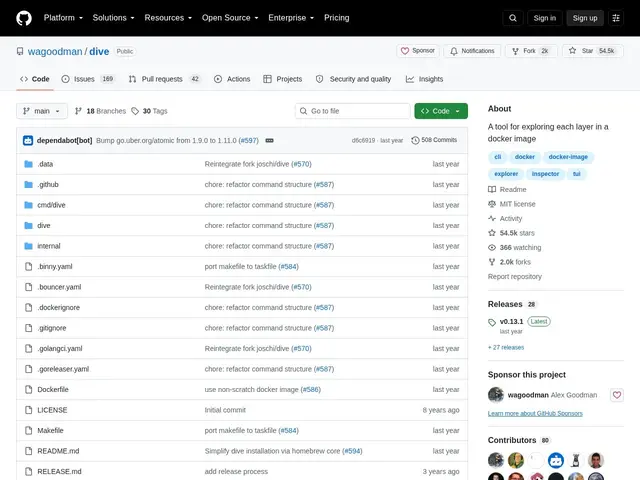
Description
A Docker image that's grown to several gigabytes is a common problem, but figuring out why is hard — `docker history` only shows layer sizes, not what's actually inside each one. Dive opens a Docker (or Podman) image as an interactive, browsable filesystem broken down layer by layer, showing exactly which files were added, modified or removed at each step, so you can pinpoint what's wasting space instead of guessing.
Dive analyzes image layer content, flags added/modified/removed files per layer, and calculates an efficiency score with an estimate of wasted space. It supports a quick build-analyze cycle via `dive build`, a CI mode (`CI=true`) that can fail a pipeline if image efficiency drops below a threshold, and works with Docker, Podman and docker-archive images. It's cross-platform (Linux, macOS, Windows), free and open source (MIT), and remarkably active for a seven-year-old project — 54.5k GitHub stars, 2k forks, and commits within the last day, available via apt, snap, brew, chocolatey, go, nix and as a container itself.
💬 Our review
The short version: if your Docker images keep growing and `docker history` isn't giving you enough detail to fix it, Dive shows you exactly which files in which layer are responsible, turning image bloat from a guessing game into a targeted cleanup.
Its real value over `docker history` is granularity: instead of a flat list of layer sizes, you get a browsable view of the actual files added, changed or removed at each build step, plus a concrete efficiency score with wasted-space estimates — the kind of detail that turns "this image is too big" into "this specific COPY command duplicated files a layer already had." The CI integration mode is a genuine production feature, letting you fail a build automatically if image efficiency regresses, which prevents bloat from creeping back in silently. With 54.5k stars and commits within the last day despite being seven years old, it's about as battle-tested as open-source tooling gets, even though the README still labels it "beta quality." Essential for any team optimizing Docker image sizes for faster pulls and smaller attack surface; overkill if you only build images occasionally and don't care about a few extra hundred megabytes.
💰 Pricing
📊 Global score
🤖 AI-enriched data
Projet open source (licence MIT), aucune offre payante
Pros
Explore le contenu réel de chaque layer, pas juste sa taille
Score d'efficacité chiffré avec estimation d'espace gaspillé
Mode CI qui peut faire échouer un build si l'efficacité régresse
Support Docker, Podman et docker-archive
54.5k étoiles, commits quasi quotidiens malgré 7+ ans d'existence
Cons
Toujours labellisé « beta quality » dans le README
Se concentre sur l'écosystème Docker/OCI, pas au-delà
Installation via snap déconseillée si Docker est déjà installé via apt