GitUI
A fast, keyboard-driven Git interface that runs in the terminal, giving you the point-and-click convenience of a Git GUI without leaving the command line.
🔗 Visit GitUI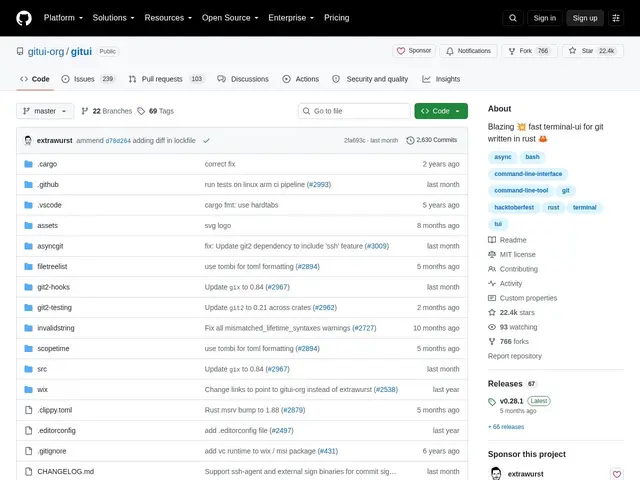
Description
Raw git commands are precise but slow to use for everyday tasks like staging individual hunks, browsing commit history, or managing stashes — you end up memorizing flags or switching to a separate GUI app that breaks your terminal workflow. GitUI is built to close that gap: a terminal application that gives you GUI-like visual git operations (staging, stashing, branching, log browsing) while staying fully keyboard-driven and fast, powered by asynchronous Git operations that stay responsive even on large repositories.
GitUI supports staging, unstaging and reverting individual files or hunks, commit inspection and amendments, full stash management (save, pop, apply, drop, inspect), push/fetch, branch management, searchable commit log browsing, submodule support and GPG commit signing, all controlled entirely by keyboard with context-sensitive help. It's written in Rust for speed, MIT-licensed, and has 22.4k GitHub stars with very active development (2,630+ commits), though it's still officially in beta and doesn't support Git LFS or sparse checkouts.
💬 Our review
The short version: if raw git commands feel too slow for daily staging and browsing but a full GUI app breaks your terminal flow, GitUI gives you visual, responsive git operations without ever leaving the keyboard or the terminal.
Its advantage over plain git CLI usage is speed of common operations — staging individual hunks, browsing history, managing stashes are all a keypress away instead of a remembered flag combination, and its async architecture keeps it responsive even on large repos where `git log` or `git status` can lag. Against a GUI client like GitKraken or Sourcetree, GitUI trades visual polish for terminal-native speed and SSH compatibility — it works anywhere your terminal does. The honest caveats are real: it's still labeled beta, doesn't support Git LFS or sparse repositories, and it's a complement to git's shell rather than a full replacement — you'll still drop to the CLI for some operations. With 22.4k stars and thousands of commits, it's clearly a trusted daily driver for many developers despite the beta label. Great fit for developers who want a faster, visual git workflow without leaving the terminal; not yet ideal if your repos rely on Git LFS or sparse checkouts.
💰 Pricing
📊 Global score
🤖 AI-enriched data
Projet open source (licence MIT), aucune offre payante
Pros
Opérations git visuelles et rapides sans quitter le terminal
Opérations asynchrones, réactif même sur de gros dépôts
Staging/unstaging par hunk, gestion complète des stashs
Support de la signature GPG et des submodules
22.4k étoiles, développement très actif
Cons
Toujours en statut beta officiellement
Pas de support Git LFS ni sparse checkout
Ne remplace pas totalement le shell git pour toutes les opérations