Trama
Lets you describe a repetitive Mac task in plain English and turns it into a working native automation, without writing AppleScript yourself.
🔗 Visit Trama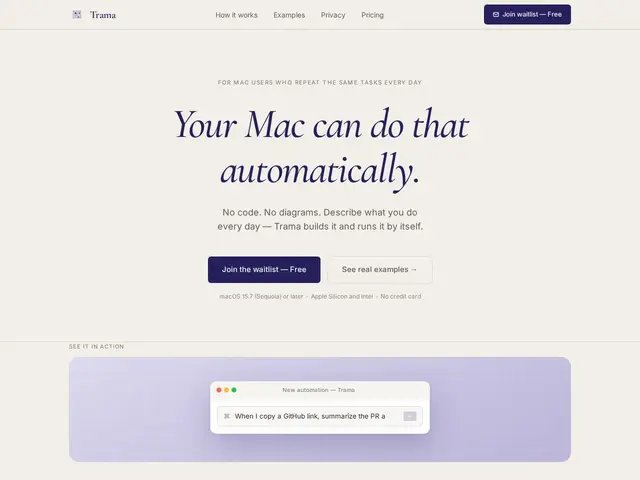
Description
Mac power users have long been able to automate repetitive tasks with AppleScript or Shortcuts, but actually writing that automation requires learning a scripting language most people never touch. Trama's idea is to remove that barrier entirely: you describe what you want in plain language — "every time I take a screenshot, OCR the text and copy it to my clipboard" — and it builds the underlying automation for you.
Under the hood, Trama runs as a local background process on macOS, generating AppleScript and shell scripts to execute the automation, with support for schedule, clipboard, screenshot and keyboard-shortcut triggers, plus native OCR. It integrates with 15+ services (Gmail, Slack, Notion, GitHub) and can even watch your behavior to suggest automations proactively. Notably, it lets you bring your own API key from Anthropic, OpenAI, Gemini or Groq rather than locking you into one AI vendor, and processing happens locally so your data doesn't need to leave your Mac. Pricing is a free tier (3 active automations), a $12/month Pro plan, and a capped $49 one-time "Founding Member" tier for early adopters.
💬 Our review
The short version: Trama is a genuinely nice idea for Mac users who want Shortcuts-level automation without learning AppleScript — the plain-language interface plus local execution and bring-your-own-API-key model make it more privacy-respecting than most "AI automation" tools.
The strongest feature is the combination of local processing (your automation logic and data stay on-device) with flexible AI provider choice — most competitors lock you into their own backend and cloud processing, while Trama lets you use your own Anthropic/OpenAI/Gemini/Groq key and keeps execution local.
The honest caveat: it's a brand-new, controlled-rollout product (the capped 50-spot Founding Member tier signals early stage) with no GitHub repo, funding info, or long track record disclosed — and Apple's own Shortcuts app already covers a lot of this ground for free if you're willing to build automations manually rather than describe them in plain language.
💰 Pricing
📊 Global score
🤖 AI-enriched data
Gratuit (3 automatisations actives). Pro : 12$/mois ou 96$/an. Founding Member : 49$ à vie (limité à 50 places).
Pros
Crée des automatisations à partir d'une simple description en langage naturel
Exécution locale — les données restent sur l'appareil de l'utilisateur
Choix libre du fournisseur IA (clé Anthropic, OpenAI, Gemini ou Groq)
Intégrations avec 15+ services (Gmail, Slack, Notion, GitHub)
Cons
Produit très jeune, déploiement contrôlé (offre fondateur limitée à 50 places)
Pas d'informations sur le financement ou de dépôt GitHub public
Apple Shortcuts couvre déjà une partie de ce terrain gratuitement, sans le langage naturel