Localdock
Gives every local development server on your Mac a stable, memorable address instead of a random localhost port that changes every restart.
🔗 Visit Localdock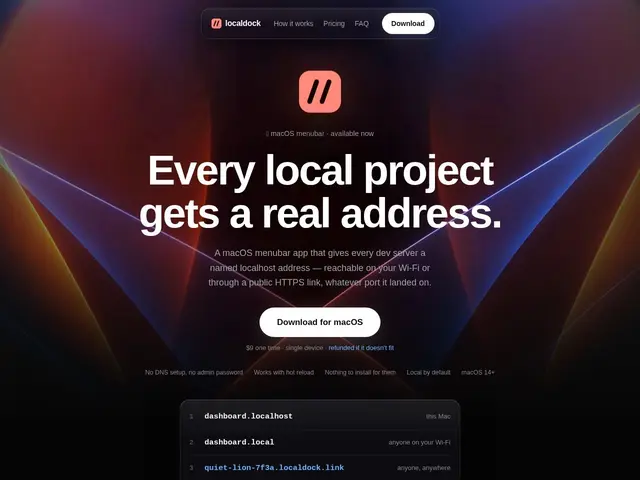
Description
Anyone juggling multiple local projects knows the annoyance of "wait, was my app on port 3000 or 3001 this time?" — ports shift, names don't stick, and sharing a local server with a client or testing on your phone usually means reaching for a separate tunneling tool. Localdock fixes the naming problem directly: it automatically names each project from its folder and gives it a stable local address that doesn't change even after restarts or port switches.
Under the hood, it's a macOS menubar app offering local-only addressing, optional .local Wi-Fi sharing so you can test on another device on the same network, and public HTTPS links (via Cloudflare tunnels) with a 1-hour expiration for quick external sharing — all without DNS setup or admin privileges. It also ships an MCP server with three tools (list_ports, get_free_port, cleanup) specifically so AI coding agents like Claude Code or Cursor can manage local dev servers intelligently. Pricing is refreshingly simple for a dev tool: a one-time $9 purchase per device, no subscription, contrasting directly with ngrok's recurring-fee model.
💬 Our review
The short version: Localdock is a small, cheap, well-targeted utility — if you're annoyed by shifting localhost ports or want a lightweight alternative to ngrok for occasional sharing, the $9 one-time price makes it an easy yes.
The standout feature versus ngrok is the pricing model itself (one-time purchase vs. subscription) plus the MCP server integration, which is a genuinely timely addition given how many developers now run AI coding agents locally and need those agents to manage dev-server ports without manual intervention.
The honest caveat: it's macOS-only, so Windows/Linux developers are out of luck, and the public HTTPS links expire after just 1 hour, which is fine for a quick demo but not for anything needing a longer-lived public tunnel — ngrok remains the better choice if you need persistent public URLs or cross-platform support.
💰 Pricing
📊 Global score
🤖 AI-enriched data
9$ à l'achat unique par appareil, sans abonnement. Inclut les mises à jour de la version 1.
Pros
Achat unique à 9$ plutôt qu'un abonnement récurrent comme ngrok
Adresses locales stables même après redémarrage ou changement de port
Serveur MCP intégré pour que les agents de codage IA gèrent les ports automatiquement
Partage Wi-Fi local et liens HTTPS publics sans configuration DNS
Cons
macOS uniquement — pas de version Windows ou Linux
Liens HTTPS publics limités à 1 heure d'expiration
Moins adapté si vous avez besoin d'un tunnel public persistant