Ui.Vision RPA
A free browser extension that watches you click through a repetitive task once, then replays those exact clicks automatically — no coding needed.
🔗 Visit Ui.Vision RPA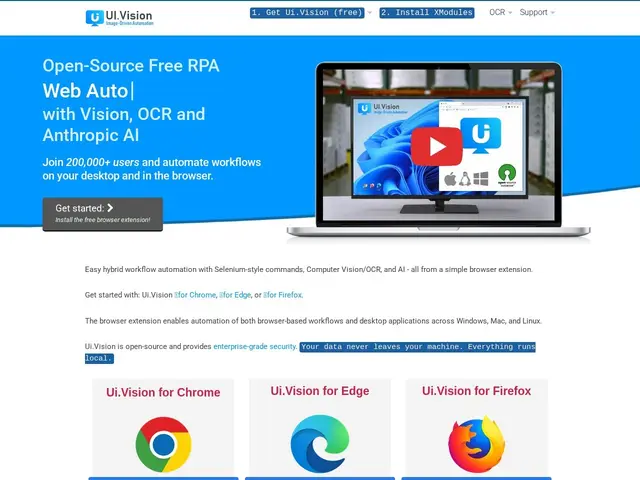
Description
Anyone who has ever copy-pasted the same data between a website and a spreadsheet twenty times in a row has felt the appeal of automation. Ui.Vision works like a tape recorder for your browser: you record yourself doing the task once — clicking buttons, filling in forms, downloading files — and it replays those exact steps on command, as many times as you need, without you touching the mouse again.
Technically, Ui.Vision is an open-source RPA (Robotic Process Automation) tool distributed as a browser extension (Chrome, Edge, Firefox) that also reaches beyond the browser to automate desktop applications, using screenshot-based visual recognition and OCR to click on things that don't have a stable underlying selector. It supports data-driven testing from CSV files, file upload/download automation, and — more recently — integration with Claude's computer-use capability for AI-assisted automation of tasks that are hard to script deterministically. With roughly 200,000 users, it's a well-established name in the free/low-cost RPA space, alongside commercial tools like UiPath or Automation Anywhere aimed at enterprise budgets.
💬 Our review
The short version: Ui.Vision is one of the few genuinely free ways to automate repetitive browser or desktop clicking without writing code or paying enterprise RPA licensing fees — the trade-off is that visual/screenshot-based automation is inherently more fragile than automation built on a proper API or a stable DOM.
For straightforward, repeatable tasks — filling the same web form daily, downloading a report and renaming it, scraping a fixed set of pages — the record-and-replay workflow gets you a working automation in minutes, which is hard to beat for a non-developer. The desktop automation and OCR fallback also mean it isn't limited to the browser, unlike most free scraping tools.
The honest limits: screenshot- and coordinate-based automation breaks when a site redesigns its layout or a button moves a few pixels, so scripts need occasional maintenance in a way that API-based automation doesn't. It's also clearly aimed at individuals and small teams automating their own repetitive work, not at engineering teams needing robust, version-controlled, testable automation pipelines — for that, a proper scraping library like Crawlee or a code-based test framework is the better investment despite the steeper learning curve.
💰 Pricing
📊 Global score
🤖 AI-enriched data
Version open source gratuite (extension navigateur). Ui.Vision RPA PRO et Enterprise payants, tarifs non détaillés publiquement.
Pros
Gratuit et open source, contrairement à la plupart des outils RPA d'entreprise
Enregistrement/replay sans code — accessible à des non-développeurs
Automatise aussi bien le navigateur que des applications de bureau
Intègre l'OCR et le "computer use" de Claude pour les cas visuels difficiles
Cons
Automatisation par capture d'écran/coordonnées, plus fragile qu'une automatisation basée sur une API
Casse facilement si un site change de mise en page
Pas conçu pour des pipelines d'automatisation robustes et versionnés en environnement d'ingénierie