PassKey
A password manager that never talks to the internet at all — your vault, encrypted with AES-256, lives only on your Windows PC, so there's no cloud account to breach and no subscription to pay, at the cost of syncing to your phone.
🔗 Visit PassKey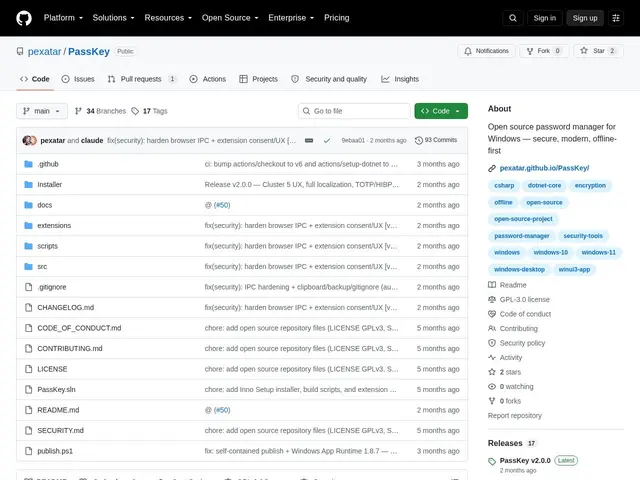
Description
Most password managers today are cloud-first: your encrypted vault syncs across every device via the vendor's servers, which is convenient but means a company somewhere is still a link in the chain of who can theoretically reach your data. PassKey goes the opposite direction — everything stays on one Windows machine, encrypted locally, with no server involved at all. It's the difference between a bank vault you access remotely and a safe bolted to your own floor: less convenient if you need it in two places, but nothing to breach remotely because there's nothing remote.
PassKey is a free, open-source (GPL v3.0) offline-first password manager for Windows 10/11 (64-bit). It encrypts your vault with AES-256-GCM using Argon2id key derivation, and stores passwords, credit cards, identity profiles, and secure notes. It includes a password generator and strength analyzer, breach verification, browser autofill extensions for Chrome and Firefox, and import from CSV, Bitwarden, or 1Password. The project reports a stable v2.0.0 release backed by 167+ deterministic tests, and supports six languages with WCAG AA accessibility and full keyboard navigation.
💬 Our review
The short version: PassKey is a legitimate, feature-complete offline password manager for a single Windows machine — the encryption and feature set are solid on paper, but with only 2 GitHub stars it's essentially unreviewed by the wider community, which matters more for a password manager than almost any other software category.
What it gets right architecturally: AES-256-GCM with Argon2id (a modern, memory-hard key derivation function resistant to brute-forcing) is the correct choice, and 167+ deterministic tests suggest the author cared about correctness, not just shipping features. Browser autofill and import from the big three (Bitwarden, 1Password, CSV) lower the switching cost if you do want to try it.
The honest limits: this is where 'small' becomes a real concern rather than just a maturity note. Password managers are exactly the software where independent security audits matter — Bitwarden/Vaultwarden get audited annually by third parties like Cure53; a 2-star solo project has had no such scrutiny, so you're trusting the implementation on the author's word alone. It's also Windows-only with no sync, so it doesn't cover phone or Mac use at all. For actual daily-driver password management, Vaultwarden (free, self-hosted, audited, cross-platform) or KeePass (decades of scrutiny) remain the safer default; PassKey is worth watching as it matures, or trying for a low-stakes, single-machine, fully offline use case, but not yet a wholesale replacement for an audited tool.
💰 Pricing
📊 Global score
🤖 AI-enriched data
Open source (licence GPL v3.0), gratuit, 100% local sur Windows — aucun compte ni abonnement.
Pros
Gratuit, open source (GPL v3.0), aucune donnée ne quitte l'ordinateur
Chiffrement moderne AES-256-GCM avec dérivation de clé Argon2id
167+ tests déterministes, extensions navigateur Chrome/Firefox avec autofill
Import depuis Bitwarden, 1Password, CSV — migration facilitée
Cons
Projet extrêmement confidentiel (2 étoiles GitHub) — aucun audit de sécurité tiers connu, contrairement à Bitwarden/Vaultwarden
Windows uniquement, pas de synchronisation entre appareils
Pour un outil qui protège vos mots de passe, l'absence de revue indépendante est un vrai point de vigilance