DBackup
A free, self-hosted tool that automatically backs up your databases and files, encrypts them, and ships them off to cloud storage on a schedule — the boring, essential job most self-hosters put off until they lose something.
🔗 Visit DBackup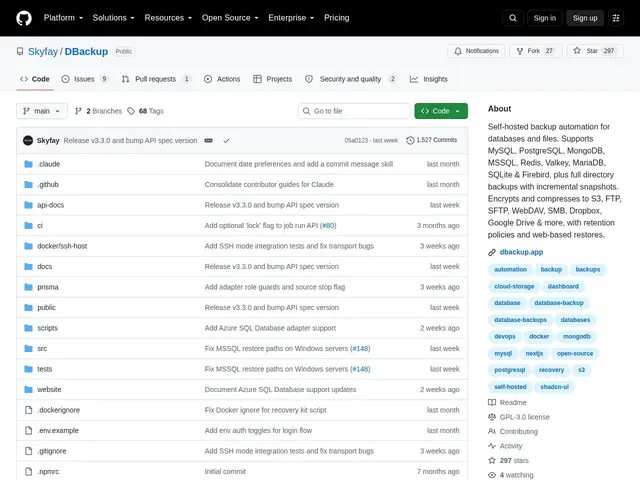
Description
Everyone knows they should back up their databases; far fewer people have actually automated it, encrypted it, and tested that the restore works. DBackup is built to close that gap for self-hosted infrastructure specifically — it's less a single tool and more a small ops team's worth of backup discipline packaged into one self-hosted service: scheduled dumps of nine different database engines, encryption before anything leaves your server, and a web dashboard so a restore is a few clicks instead of a 2am scramble to remember the pg_dump syntax.
DBackup is an open-source (GPL-3.0) backup automation tool covering PostgreSQL, MySQL, MariaDB, MongoDB, Redis, Valkey, SQLite, MSSQL, Azure SQL, and Firebird, plus arbitrary file/directory backups. It encrypts everything with AES-256-GCM (with key rotation) and compresses with GZIP or Brotli, supports incremental backups with a GFS (grandfather-father-son) retention model, and ships to nine storage destinations (S3, Cloudflare R2, Google Drive, Dropbox, OneDrive, SFTP, FTP, WebDAV, SMB, or local). It includes a web-based restore interface, real-time monitoring dashboard, nine notification channels, RBAC with SSO/OIDC, a REST API, and integrity verification via checksums — plus offline recovery kits in case the server itself is compromised.
💬 Our review
The short version: DBackup's feature list reads like it was built by someone who's actually been burned by a bad backup strategy before — multi-database support, real encryption, a proper retention model, and a web UI for restores cover the things generic backup scripts usually get wrong or skip entirely.
The database breadth (nine engines, including less commonly supported ones like Firebird and Azure SQL) is unusual for a self-hosted tool at this scale, and pairing that with proper GFS retention and nine cloud/protocol destinations means it's genuinely trying to be a complete backup platform rather than a cron-job wrapper. The offline recovery kits — a way to decrypt backups even if the DBackup server itself is compromised — is the kind of detail that signals real threat-modeling, not just feature-checking.
The honest limits: at 297 stars, it's a smaller, younger project than dedicated backup tools like Restic or Borg, which have years of battle-testing specifically around backup integrity — arguably the one place you cannot afford a bug. Restic/Borg are narrower (file-level, not database-aware) but extremely proven; DBackup's database-native dumps plus a management UI are more convenient if that convenience is what you need, but test your restores independently before trusting it as your only backup layer for anything critical. For self-hosters running several different database engines who want one dashboard instead of a pile of cron scripts, DBackup is a compelling, actively developed option — just don't skip the 'actually try restoring from it' step.
💰 Pricing
📊 Global score
🤖 AI-enriched data
Open source (licence GPL-3.0), gratuit, auto-hébergé.
Pros
Gratuit et open source (GPL-3.0), auto-hébergé
Supporte 9 moteurs de bases de données (PostgreSQL, MySQL, MongoDB, MSSQL, Redis, Firebird...)
Chiffrement AES-256-GCM avec rotation de clés, retention GFS, 9 destinations de stockage
Interface web de restauration et tableau de bord de monitoring en temps réel
Cons
Projet plus jeune et moins éprouvé (297 étoiles GitHub) que des outils de backup dédiés comme Restic ou Borg
À tester soi-même (restaurations réelles) avant d'en faire son seul système de sauvegarde pour des données critiques
Plus de surface fonctionnelle = plus de configuration à bien maîtriser qu'un simple outil en ligne de commande