Axe
A free, open-source command-line tool that lets you define small, single-purpose AI agents as simple config files and run them like Unix programs — triggered from the terminal, a cron job, a git hook, or piped straight into another command.
🔗 Visit Axe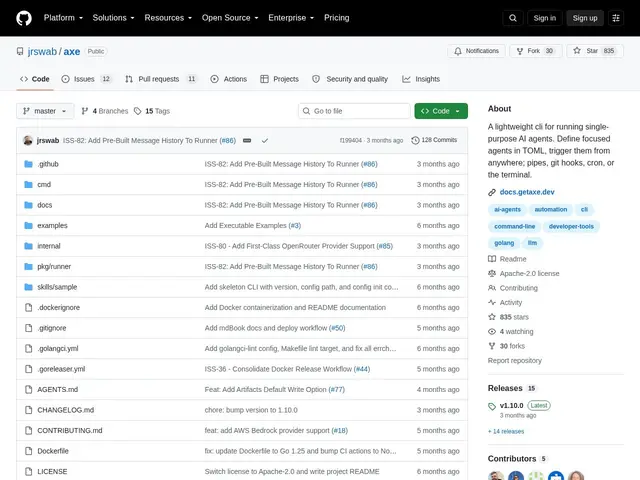
Description
Most AI agent frameworks want you to buy into a whole platform — a server, a dashboard, a specific way of wiring things together. Axe does the opposite: it treats each AI agent the way Unix treats a small program, like grep or sort — a single-purpose tool you can chain together with pipes, run from a cron job, or trigger from a git hook, with no server or GUI required.
Axe is an Apache-2.0 licensed Go CLI, distributed as a 12MB binary with two direct dependencies. Each agent is defined as a plain TOML file with its own system prompt, model choice, skill files, context files, and working directory, and can delegate to sub-agents with depth limiting. It supports Anthropic, OpenAI, Ollama, OpenCode and AWS Bedrock as model providers, includes persistent memory with garbage collection, a reusable skill system shared across agents, sandboxed file/shell/URL-fetch/web-search tools, MCP tool integration, configurable retry logic, token budgets and usage caps, dry-run mode, and structured JSON output for scripting. Config files are meant to be version-controlled alongside your code.
💬 Our review
The short version: if you want small, disposable AI agents wired into your existing dev workflow — a git hook that reviews a diff, a cron job that summarizes logs — rather than a chatbot you talk to, Axe is a lightweight, free way to do exactly that.
Compared to heavier agent frameworks like AutoGPT or Dify, which run as a persistent service with a UI and a database, Axe deliberately has none of that: no daemon, no GUI, just a binary and TOML files, which makes it dramatically easier to self-host, script, and version-control, at the cost of not having a visual workflow builder or a dashboard for non-technical users. It's closer in spirit to a Unix utility than to a general-purpose 'agent platform.'
The honest limits: with under a thousand GitHub stars, it's a newer, smaller project than the established frameworks, so expect a smaller plugin ecosystem and community around it, and you'll need to be comfortable with TOML config and the command line — there's no point-and-click interface at all. For developers who already think in terms of composable CLI tools and want AI agents that fit that same mental model, it's a strong, free pick; teams that need a shared dashboard for non-developers should look elsewhere.
💰 Pricing
📊 Global score
🤖 AI-enriched data
Open source (licence Apache-2.0), gratuit. Nécessite vos propres clés API pour les fournisseurs LLM (Anthropic, OpenAI, Ollama local gratuit, AWS Bedrock).
Pros
Binaire de 12 Mo, sans démon ni GUI — s'intègre directement dans des pipelines existants
Agents définis en TOML versionnable, faciles à revoir en code review
Multi-fournisseurs (Anthropic, OpenAI, Ollama local gratuit, Bedrock)
Délégation à des sous-agents, mémoire persistante, budgets de tokens intégrés
Cons
Projet plus jeune et plus petit (moins de 1000 étoiles GitHub) que les frameworks établis
Aucune interface graphique — nécessite l'aisance avec le terminal et TOML
Écosystème de plugins/skills encore restreint comparé aux plateformes plus matures