GitHub Agentic Workflows (gh-aw)
A free, official GitHub tool that lets you write AI-powered repository automation — like "triage this issue" or "investigate why CI failed" — in plain Markdown, which then runs safely as a regular GitHub Actions workflow.
🔗 Visit GitHub Agentic Workflows (gh-aw)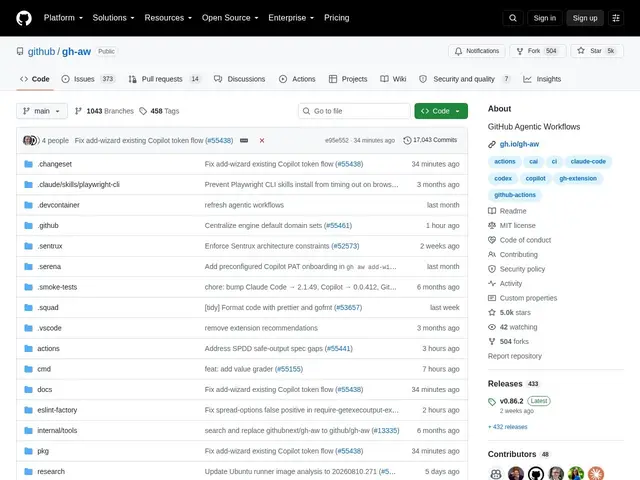
Description
Traditional CI/CD automation (GitHub Actions YAML) is great at running fixed steps, but bad at tasks that need judgment — deciding whether a bug report is a duplicate, summarizing why a build failed, or drafting documentation from context. gh-aw bridges that gap: you describe the task in Markdown, and it compiles into a standard GitHub Actions workflow that runs an AI agent to actually do the reasoning.
gh-aw is a free, open-source (MIT) GitHub CLI extension, built by GitHub itself, that lets you author "agentic workflows" in Markdown with YAML frontmatter for configuration. You choose which AI engine powers each workflow — GitHub Copilot, Claude, OpenAI, Gemini, or Pi — and gh-aw compiles your Markdown into a regular GitHub Actions workflow file. Safety is built in by design: workflows run as read-only sandboxed jobs by default, and any output the AI produces (like a PR comment or an issue label) goes through permission-scoped validation before being applied. It's an official GitHub project with nearly 5,000 stars.
💬 Our review
The short version: gh-aw is worth trying specifically because it's an official GitHub project addressing a task category — AI-assisted repo maintenance (triage, PR review, CI investigation) — where being first-party and well-integrated into GitHub Actions actually matters.
The differentiator versus building your own AI automation with raw GitHub Actions and API calls is both ergonomics and safety: Markdown-based workflow authoring is far more accessible than hand-rolling YAML plus scripting for an LLM API, and the read-only sandboxing plus permission-scoped output validation is a real security design choice, not an afterthought — AI agents with write access to your repository are a genuine risk if unconstrained. Multi-engine support (Copilot, Claude, OpenAI, Gemini, Pi) also means you're not locked into GitHub's own Copilot for the underlying intelligence.
The honest limits: it's tightly coupled to the GitHub Actions ecosystem, so it only makes sense if your repository already lives there, and running AI-powered workflows consumes GitHub Actions minutes like any other workflow, which has real cost implications at scale. Documentation around ecosystem maturity and community patterns is still developing given its relative youth. For a GitHub-hosted repository wanting safer, more accessible AI-assisted automation for reasoning-heavy tasks, it's a strong, free option backed by GitHub itself; for teams on other CI/CD platforms, it's simply not applicable.
💰 Pricing
📊 Global score
🤖 AI-enriched data
Extension open-source (MIT) gratuite ; s'exécute via GitHub Actions, donc soumise à la consommation de minutes Actions (selon votre plan GitHub).
Pros
Projet officiel GitHub — intégration native à l'écosystème Actions
Sandboxing en lecture seule par défaut et validation des sorties par permissions
Support multi-moteurs IA (Copilot, Claude, OpenAI, Gemini, Pi) — pas d'enfermement fournisseur
Gratuit, open-source (MIT), authoring accessible en Markdown
Cons
Couplé à l'écosystème GitHub Actions — inutilisable ailleurs
Consomme des minutes Actions, avec un coût réel à l'échelle
Écosystème et bonnes pratiques communautaires encore jeunes