Entire CLI
A free, open-source tool that records exactly what your AI coding agent did and why, tied directly to your git commits — so six months later you can still answer "why did the AI write it this way?"
🔗 Visit Entire CLI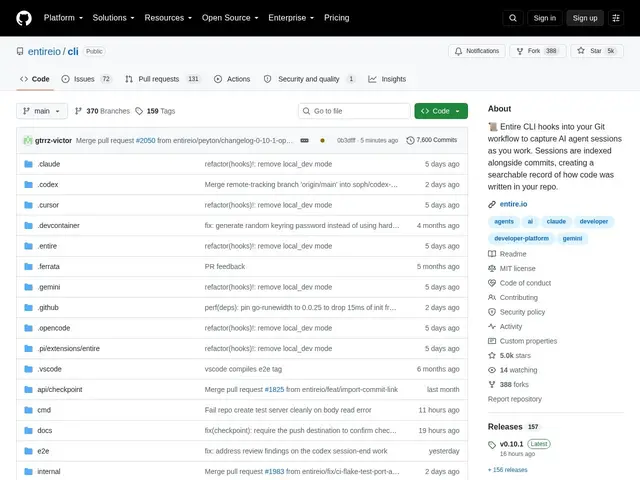
Description
When an AI coding agent makes a change, the reasoning behind it usually disappears the moment the terminal session ends — leaving only the code, with no record of the prompts, decisions, or context that produced it. Entire CLI keeps that history, storing full AI agent session transcripts alongside your git history so code changes stay explainable.
Entire CLI is a free, open-source (MIT) tool that captures full session transcripts from AI coding agents — Claude Code, Cursor, Gemini, Copilot CLI — and indexes them as searchable records tied to specific commits. It stores this history in separate git branches to keep your main history clean, supports checkpoints so you can resume or roll back to a previous agent state, redacts secrets automatically before storage, auto-summarizes long sessions, and works with git worktrees. It's grown quickly to over 5,000 GitHub stars since its January 2026 launch.
💬 Our review
The short version: as AI-written code becomes a bigger share of any codebase, Entire CLI answers a question that's increasingly common in code review — "why did the AI do this?" — by keeping the actual reasoning trail, not just the diff.
The differentiator versus just reading git commit messages or PR descriptions is completeness: those are written after the fact and often skip the back-and-forth that led to a decision, while Entire CLI captures the full session transcript automatically. Its multi-agent support (Claude Code, Cursor, Gemini, Copilot CLI) means it isn't tied to one vendor's ecosystem, and storing history in separate git branches means it doesn't clutter your actual commit history the way inline comments would. Automatic secret redaction is a meaningful safety feature given that agent sessions can contain sensitive strings pasted in for debugging.
The honest limits: it's a young project (launched January 2026, ~5,000 stars), so expect a learning curve for integrating it cleanly into an existing team workflow, and its value compounds over time — the first week of use won't feel as useful as six months in, once there's a real archive to search. For teams that already rely heavily on AI coding agents and want an audit trail for those decisions, it's a low-cost, high-value addition; for solo developers doing occasional AI-assisted edits, it may be more infrastructure than needed.
💰 Pricing
📊 Global score
🤖 AI-enriched data
Outil open-source (MIT), entièrement gratuit.
Pros
Capture automatique de la transcription complète des sessions d'agents IA
Compatible multi-agents (Claude Code, Cursor, Gemini, Copilot CLI)
Stockage dans des branches Git séparées — historique principal non pollué
Gratuit, open-source (MIT), rédaction automatique des secrets
Cons
Projet jeune (lancé janvier 2026) — intégration dans un workflow existant demande un temps d'adaptation
Valeur qui se révèle surtout avec le temps, une fois un vrai historique constitué
Peut représenter une infrastructure superflue pour un usage IA occasionnel