Fresh
A free, open-source text editor that runs entirely in your terminal but feels like VS Code — split panes, multi-cursor editing, a command palette, and language smarts — no configuration file required.
🔗 Visit Fresh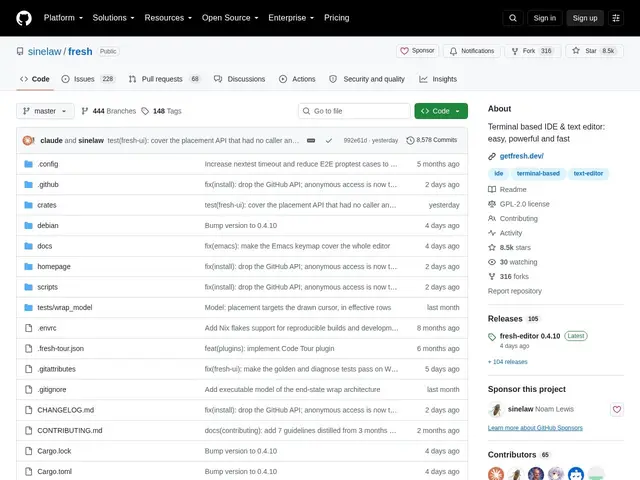
Description
Editing code over SSH or in a terminal-only environment usually means choosing between a bare-bones editor (nano) or a powerful but famously steep learning curve (Vim). Fresh aims at a third option: a terminal editor with the everyday conveniences of a graphical IDE — mouse support, familiar keybindings, a command palette — that works out of the box with no setup.
Fresh is a free, open-source (GPL-2.0) terminal text editor built to bring VS Code/Sublime Text-style UX to the command line. It includes a command palette, fuzzy file finder, multi-cursor editing, split panes, an integrated terminal, Language Server Protocol (LSP) support for code intelligence, git integration, syntax highlighting with themes, keyboard macros, and a TypeScript plugin system for extensions. It's built to handle multi-gigabyte files efficiently and has passed 8,400 GitHub stars.
💬 Our review
The short version: if you regularly work in a terminal (SSH into servers, remote dev boxes, containers) and find Vim's learning curve not worth it for your use case, Fresh is one of the few editors that genuinely brings graphical-IDE conveniences into a terminal without demanding you learn a new mental model first.
The differentiator versus Vim or Neovim is exactly that — Fresh uses familiar keybindings and mouse support out of the box, so there's no modal-editing learning curve, at the cost of some of Vim's famous keyboard-only editing speed once you're fluent. Compared to running VS Code itself over a remote SSH extension, Fresh is lighter weight and works in environments where a full graphical or web-based editor isn't practical or allowed. LSP support means it still gets real code intelligence (autocomplete, go-to-definition) rather than being just a glorified text box.
The honest limits: at roughly 8,400 stars it has a much smaller plugin and theme ecosystem than either Vim or VS Code, so more obscure language or workflow support may be missing. Anyone deeply fluent in Vim's modal editing will likely find Fresh's model slower for pure keyboard-driven speed once mastery kicks in. For a developer who lives in terminals but doesn't want to invest in Vim's learning curve, it's a strong, free option; for a Vim power user or someone who just wants full VS Code with all its extensions, this isn't the tool to switch for.
💰 Pricing
📊 Global score
🤖 AI-enriched data
Éditeur open-source (GPL-2.0), entièrement gratuit.
Pros
Raccourcis clavier familiers et souris — pas de courbe d'apprentissage modale comme Vim
Fonctionnalités IDE (palette de commandes, multi-curseur, panneaux divisés, LSP)
Plus léger qu'un VS Code distant via SSH
Gratuit, open-source (GPL-2.0), gère efficacement les fichiers volumineux
Cons
Écosystème de plugins/thèmes bien plus réduit que Vim ou VS Code
Moins rapide au clavier pur qu'un Vim maîtrisé
Support de langages plus obscurs potentiellement manquant