pdf-inspector
A free, open-source Rust library that quickly figures out whether a PDF is text-based or scanned and pulls out clean, structured text — so you only pay for expensive OCR on the PDFs that actually need it.
🔗 Visit pdf-inspector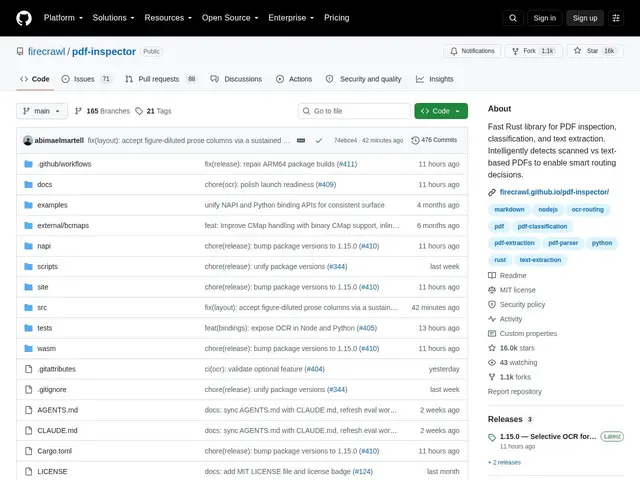
Description
Not all PDFs are the same: some already contain selectable text, others are just scanned images, and a document pipeline that runs every single PDF through OCR wastes time and money on the ones that didn't need it. pdf-inspector solves that specific problem — it looks at a PDF, decides in milliseconds whether it's text-based, scanned, image-based or mixed, and only routes the pages that actually need OCR through it, while pulling clean, structured text straight out of the rest.
pdf-inspector is an open-source (MIT) Rust library built by Firecrawl, released alongside their AnyDoc document-parsing stack. It classifies PDF pages in 10-50ms with a confidence score, extracts text with position awareness (font info, X/Y coordinates, correct multi-column reading order), and converts the result to clean Markdown — headings, lists, tables, code blocks, bold/italic, and links included. It handles multi-language content including CID fonts and right-to-left scripts, processes typical text-based PDFs in under 200ms, and ships with bindings for Rust, Python, Node.js and WebAssembly (browser-usable) alongside a CLI. It has over 16,600 GitHub stars and is actively maintained.
💬 Our review
The short version: if you're building any pipeline that ingests PDFs — an AI agent, a document-processing app, a RAG system — pdf-inspector is worth adding purely as a pre-filter, because it can cut your OCR bill and processing time by skipping the roughly half of PDFs that are already text-based.
The differentiator versus Python staples like pdfplumber or PyPDF2 is speed and the classification-first design: those libraries assume you already know how to handle the PDF and focus on extraction, while pdf-inspector's whole premise is deciding *how* to handle each PDF before you commit resources to OCR. Being written in Rust with WASM/Node/Python bindings also means it's meaningfully faster than pure-Python extraction, and usable directly in a browser or a JS backend, not just a Python pipeline. Compared to a general PDF toolkit like Apache PDFBox or poppler, it's narrower in scope but sharper at its one job — smart routing plus clean Markdown output, tuned for feeding LLMs and AI agents rather than for arbitrary PDF manipulation (form filling, merging, etc.).
The honest limits: it's a library, not a hosted service — Rust know-how helps if you need to go beyond the prebuilt bindings, and OCR itself isn't included, so you still need to plug in your own OCR engine for the pages it flags as scanned. For a team building or optimizing a PDF-heavy ingestion pipeline, it's a genuinely useful, free building block; for a one-off "extract text from this one PDF" task, a simpler single-purpose library is probably less setup.
💰 Pricing
📊 Global score
🤖 AI-enriched data
Bibliothèque open-source (MIT), entièrement gratuite ; aucun service hébergé payant.
Pros
Classification PDF (texte/scanné/image/mixte) en 10-50ms — évite l'OCR inutile
Extraction consciente de la position (police, coordonnées, ordre de lecture multi-colonnes)
Conversion Markdown propre (titres, listes, tableaux, code)
Bindings Rust, Python, Node.js, WebAssembly + CLI — gratuit et open-source (MIT)
Cons
Bibliothèque, pas un service hébergé — connaissances Rust utiles pour aller au-delà des bindings
N'inclut pas l'OCR lui-même, juste le routage intelligent vers un moteur OCR externe
Périmètre volontairement étroit (pas de fusion/édition de PDF comme PDFBox)