LALAL.AI
An AI audio separation service that pulls apart a mixed track into vocals, instruments, and individual stems, plus voice cleaning and cloning, used for karaoke, remixing, and production work.
🔗 Visit LALAL.AI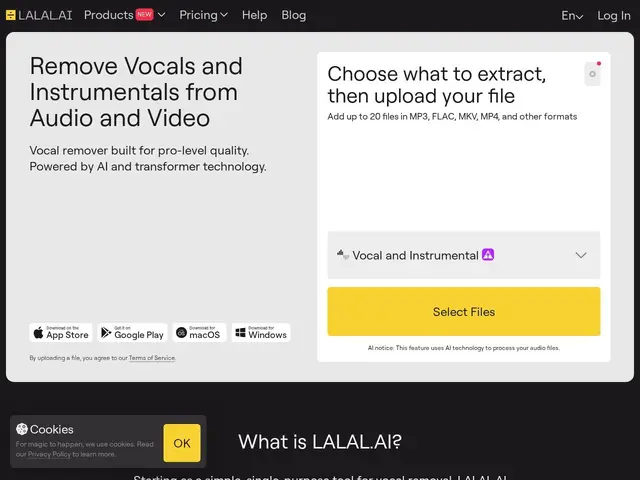
Description
If you've ever wanted the instrumental version of a song, or needed to remove background noise from a voice recording, you'd normally need expensive studio software and real audio engineering skill. LALAL.AI does that separation automatically: upload a track, and it splits it into clean vocal and instrumental parts — or individual instruments — in a couple of minutes, no audio expertise required.
LALAL.AI runs on its sixth-generation 'Andromeda' neural network for source separation, splitting tracks into vocals, drums, bass, guitar, piano, synthesizer, strings, and wind, plus dedicated Voice Cleaner (removes noise, echo, reverb), Voice Changer, and Voice Cloner tools, and lead/backing-vocal separation. It handles most common audio formats (MP3, OGG, WAV, FLAC, AIFF, AAC, M4A) and video containers (AVI, MP4, MKV, MOV, M4V), with batch processing for multiple files at once. Processing runs through a dual-queue system: a Relaxed Queue with variable wait times on lower tiers, and a paid Fast Queue for priority turnaround. Pro and above add a VST plugin for use directly inside a DAW during music production, and API access for programmatic/enterprise integration.
💬 Our review
The short version: LALAL.AI is a mature, focused tool for one job — pulling clean stems and vocals out of a mixed track — and it does that job well enough that musicians and podcast editors use it as a routine part of their workflow, not a novelty.
What separates it from a general-purpose audio editor is specialization: rather than being one feature buried in a big DAW, LALAL.AI is built around fast, high-quality separation as the entire product, with a generation of neural network iteration (Andromeda is the sixth) behind the current quality bar. The VST plugin is a meaningful differentiator for musicians who want separation inside their existing production chain rather than a separate web upload step.
The honest limits: the free Starter tier is capped at 10 minutes and 200MB, so any real workload pushes you into a paid tier fairly quickly, and pricing scales with a 'Fast Queue' minutes allowance rather than a flat unlimited rate — heavy users doing long files will want to budget for top-ups. For a musician or editor who separates audio regularly, the Lite or Pro plan pays for itself quickly; for a one-off karaoke track, the free tier or a single top-up covers it.
💰 Pricing
📊 Global score
🤖 AI-enriched data
Starter gratuit (10 min, 200 Mo) ; Lite 8,99€/mois ou 81€/an ; Pro 17,99€/mois ou 162€/an (plugin VST + API) ; recharges Fast Queue 50-300€.
Pros
Séparation de qualité (6e génération de réseau Andromeda), spécialisée et rapide
Plugin VST pour intégration directe dans une DAW — rare chez les concurrents web
Large support de formats audio/vidéo, traitement par lot
API disponible pour intégration en entreprise (Pro+)
Cons
Palier gratuit très limité (10 min, 200 Mo) — usage réel nécessite un abonnement payant rapidement
Tarification par crédits Fast Queue, pas un forfait illimité simple
Pas d'alternative directement citée par l'éditeur, comparaison à faire soi-même (Spleeter, iZotope RX)