Jelly UI
A free, open-source Web Components library that gives ordinary HTML form controls a soft, squishy physics-based feel, with zero dependencies and real accessibility support.
🔗 Visit Jelly UI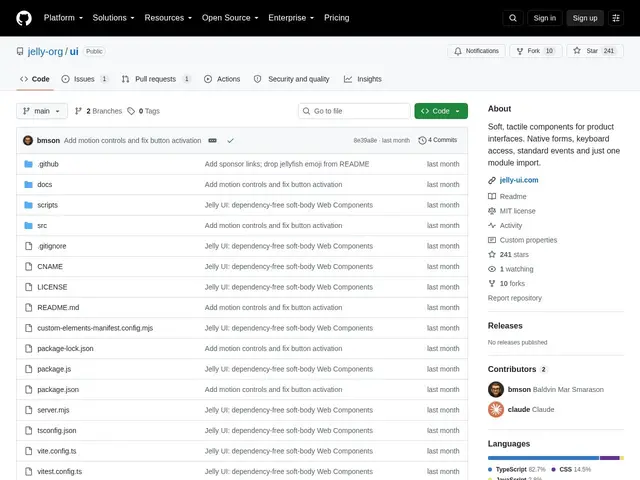
Description
Most websites use flat, static-feeling buttons and sliders that just sit there. Jelly UI is a small code library that makes ordinary web form controls — buttons, sliders, checkboxes, toasts — squish and wobble like a soft rubber object when you touch them, without needing you to change how your website works underneath.
Jelly UI is a dependency-free Web Components library: each of its 40+ custom elements wraps a native HTML control (so keyboard access, focus behavior, and form submission via FormData all work exactly as browsers expect) and layers a canvas-rendered soft-body physics simulation on top — a closed ring of spring-coupled membrane points that deforms under press and pointer movement, run on a single shared requestAnimationFrame loop that parks itself when idle so it costs nothing on a static page. It ships dark mode, right-to-left layout support, WCAG AA-compliant color tokens, and respects prefers-reduced-motion. Install is a single script tag or an ESM import; there's no framework requirement since it's standard Web Components (React, Vue, plain HTML all work identically), and the project has real automated test coverage via Vitest and Playwright rather than just demo pages.
💬 Our review
The short version: Jelly UI is a genuinely novel idea — soft, physical-feeling form controls — executed with real engineering discipline (zero dependencies, real accessibility work, real tests), but it's a young, small project competing against nothing directly, which is itself worth noting.
Most UI libraries differentiate on visual style or component count; Jelly UI differentiates on interaction feel, which is a much rarer and harder thing to get right — the soft-body physics has to stay performant and not fight the browser's native form behavior, and by wrapping real HTML controls rather than reinventing them, it avoids the usual accessibility regressions custom-styled component libraries introduce. That's a meaningfully more careful approach than most 'fun UI' libraries.
The honest caveat: at 241 stars and 10 forks, this is early — there's no large-scale production track record yet, and 'tactile physics on every button' is a strong aesthetic choice that won't fit every product's brand. For teams building a distinctive, playful interface who want that feel without sacrificing accessibility, it's a rare option; for a standard SaaS dashboard, a conventional library like shadcn/ui or beUI will fit in more easily.
💰 Pricing
📊 Global score
🤖 AI-enriched data
Entièrement gratuit et open-source (MIT).
Pros
Concept unique : interactions tactiles soft-body physics sur des contrôles HTML natifs
Zéro dépendance, vraie couverture de tests (Vitest, Playwright)
Accessibilité soignée : WCAG AA, clavier natif, RTL, dark mode, reduced-motion
Fonctionne avec n'importe quel framework (Web Components standards)
Cons
Projet jeune et petit (241 stars, 10 forks), pas encore de recul en production à grande échelle
Esthétique tactile marquée — ne convient pas à toutes les identités de marque
Aucune alternative directe citée, catégorie encore très niche