Sitepins
A freemium git-based CMS with a visual WYSIWYG editor, real-time collaborative editing, and built-in AI assistant integrations for static site content.
🔗 Visit Sitepins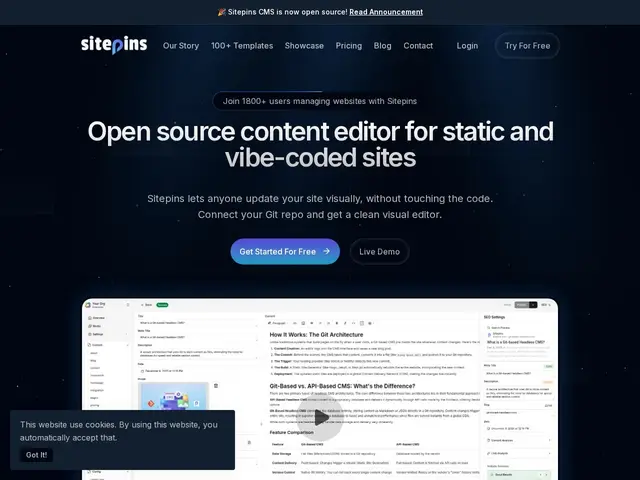
Description
Sitepins aims at the same problem as other git-based CMSs — letting people who aren't comfortable writing Markdown or YAML by hand edit a static site's content — but adds things you'd normally only find in paid, hosted platforms: real-time collaboration between multiple editors, a visual WYSIWYG editor, and a hosted cloud tier for teams that don't want to manage the git-integration plumbing themselves.
Under the hood, Sitepins connects to your Git repository (with version control preserved) and provides a visual editor for Markdown, JSON, YAML, and TOML content, plus a live preview sandbox so editors can see changes before they're committed. It supports role-based permissions, real-time collaborative editing with presence indicators (seeing who else is editing), drag-and-drop media management, native support for 12 languages in the editor UI itself, and integrations with AI assistants (OpenAI, Gemini, Claude, Grok) for content generation inside the editor. It also supports shortcodes/custom content blocks and branch previews for reviewing changes before merge. The self-hosted core is open-source and free; Sitepins Cloud is the paid, hosted counterpart aimed at teams, agencies, and freelancers who'd rather not self-host the integration layer.
💬 Our review
The short version: Sitepins is the most feature-rich of the git-based CMS options here, and the only one built around a paid hosted tier — real-time collaboration and an AI assistant baked into the editor are genuinely useful for agencies managing several client sites at once.
Compared to Sveltia CMS or Pages CMS, which are free, self-hosted-first tools built for solo developers or small teams, Sitepins is closer to a small SaaS: it has a business model built around Sitepins Cloud, targeting agencies and freelancers who manage multiple sites for clients and want presence-aware collaborative editing without configuring the git integration themselves. The 12-language native UI and AI assistant integrations are real differentiators nobody else in this batch offers.
The tradeoff is that a meaningful part of the value proposition sits behind Sitepins Cloud rather than the free self-hosted core, and it's a newer, smaller project (roughly 1,800 users reported) than the more established Decap/Netlify CMS lineage. For a solo developer or a single site, the free alternatives are hard to beat on price; for an agency running collaborative editing across many client sites, Sitepins' paid tier is solving a real problem the free tools don't address.
💰 Pricing
📊 Global score
🤖 AI-enriched data
Cœur open-source auto-hébergé gratuit ; Sitepins Cloud (service hébergé payant) pour la collaboration temps réel et le confort géré.
Pros
Édition collaborative temps réel avec indicateurs de présence — unique dans ce lot
Assistants IA intégrés à l'éditeur (OpenAI, Gemini, Claude, Grok)
Interface native en 12 langues, éditeur WYSIWYG pour Markdown/JSON/YAML/TOML
Cœur self-hosted gratuit et open-source, option cloud pour qui préfère ne rien gérer
Cons
Une partie de la valeur (collab temps réel géré) est derrière le tier payant Cloud
Projet plus jeune et plus petit (~1 800 utilisateurs) que Decap/Netlify CMS
Peu d'alternatives citées par l'éditeur lui-même, moins de recul indépendant