Pages CMS
A free, open-source GitHub app that turns a config file in your repo into a visual content editor for static sites, with no database or backend to run.
🔗 Visit Pages CMS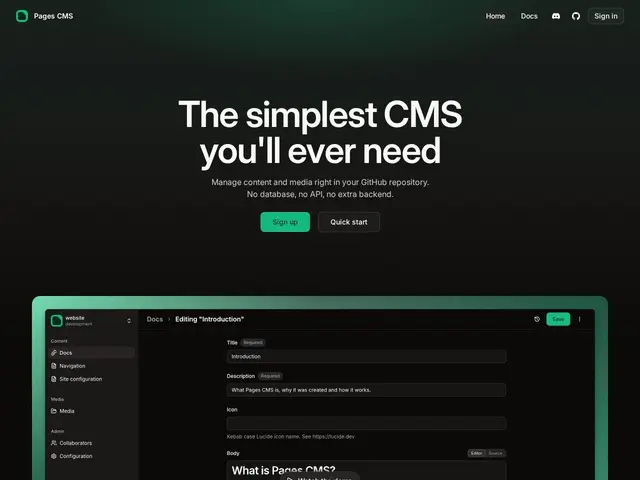
Description
If you keep a website's content in a GitHub repository as Markdown or YAML files, but you'd rather not ask a client or a colleague to edit YAML front matter by hand, Pages CMS gives them a proper visual editor instead — installed as a GitHub app, with zero servers to set up or maintain.
Pages CMS works by reading a single YAML config file committed to your repository, which defines your content structure — collections, fields, media locations — and then generates a matching editing UI: a rich-text editor with syntax highlighting, drag-and-drop media management, and full-text/faceted search over your content. It authenticates through GitHub, commits changes directly back to your repo (so your Git history stays the source of truth), and works with any static site generator that reads from files, including Jekyll, Hugo, Next.js, Astro, Eleventy, Nuxt, Gatsby, and Docusaurus. Because it's just a config file plus a GitHub integration, there's no server to deploy — you can also self-host it, or use the hosted version, for free either way. It supports mobile-responsive editing and email-based invitations for adding editors who don't need repo access to commit.
💬 Our review
The short version: Pages CMS is the simplest of this batch's git-based CMS options to get started with, if your content already lives on GitHub — install the app, drop a config file, done, no build step or script tag required.
Where it differs from Sveltia or Decap CMS is the integration model: those are typically embedded as a small app you host yourself (even if just as static files) and configure via a schema you serve alongside your site; Pages CMS instead runs as a hosted GitHub App that reads your config directly from the repo, which lowers the setup ceiling further but ties you a bit more to its hosted infrastructure (self-hosting is possible but is the less-traveled path). It's a pure editing layer — like its git-based peers, it doesn't replace your static site generator or deployment pipeline, it just makes committing content changes friendlier for non-developers.
For teams that want the absolute lowest-friction way to give non-technical people write access to a GitHub-backed static site, it's a strong, free pick; teams wanting a fully self-hosted, script-embedded editor with no third-party GitHub App dependency may prefer Sveltia CMS instead.
💰 Pricing
📊 Global score
🤖 AI-enriched data
100% gratuit et open-source (MIT), y compris la version hébergée.
Pros
Setup minimal : un seul fichier de config YAML + app GitHub, aucun serveur à déployer
Éditeur riche avec coloration syntaxique, recherche full-text/facettes, gestion média drag-and-drop
Compatible avec la majorité des générateurs de sites statiques du marché
Invitations par email pour des éditeurs sans accès direct au repo
Cons
Couche d'édition uniquement — ne remplace ni le générateur ni le déploiement
Dépendance à l'app GitHub hébergée (le self-hosting existe mais moins rodé)
Pas de collaboration temps réel contrairement à des concurrents payants comme Sitepins