Yaw
A free desktop terminal that bundles SSH, database connections, a file editor, and AI chat into one app, so you stop juggling five separate tools to manage a server.
🔗 Visit Yaw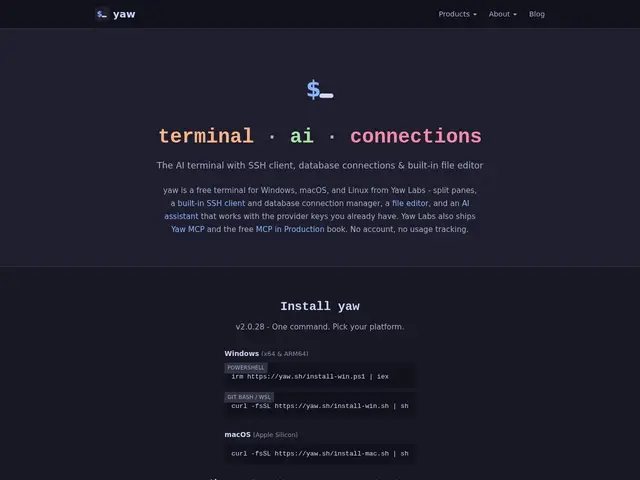
Description
A typical remote-server workflow means switching between a terminal for SSH, a separate GUI client for the database, a text editor for config files, and a browser tab for an AI assistant. Yaw's pitch is to collapse all of that into a single window, so the context — which server, which database, which file — never gets lost between apps.
Yaw is a free, cross-platform desktop terminal built on Electron and xterm.js, offering tabbed and split-pane sessions, a broadcast mode to run one command across several panes at once, a command palette, and searchable Git history by commit, code, or author. It includes a built-in SSH client with Tailscale integration, native connectivity to PostgreSQL, MySQL, SQL Server, MongoDB, and Redis with encrypted credential storage, and an integrated file editor with syntax highlighting and a git-diff gutter. AI chat is built in with support for Claude, ChatGPT, Gemini, Mistral, Grok, Ollama, AWS Bedrock, OpenRouter, and HuggingFace, using your own API keys — the app itself doesn't proxy or track your traffic.
💬 Our review
The short version: Yaw is a genuinely useful all-in-one for anyone whose daily work spans terminal, SSH, and a database client, and the fact that the core terminal is free with no account required makes it an easy tool to just try.
The combination of a real SSH client, native multi-database connectivity, and a file editor with git-diff awareness in one window is the actual value proposition — most 'AI terminal' products only nail the AI chat part and leave the SSH/DB workflow to separate tools. Bring-your-own-API-keys with no traffic proxying is also a meaningful trust signal for a tool that touches production credentials.
The honest gaps: it's an Electron app, so it carries more memory overhead than a native terminal like Alacritty or Warp's Rust-based renderer, and the AI features require your own API keys (an added cost beyond the free terminal itself, or a paid typed.cloud subscription for their bundled option). For developers who want SSH, DB access, and AI chat unified in one place, it's worth trying since the core app costs nothing; for the fastest, lightest possible terminal with no other ambitions, a native tool will feel snappier.
💰 Pricing
📊 Global score
🤖 AI-enriched data
Terminal Yaw gratuit, sans compte requis. Add-on IA typed.cloud facturé mensuellement (tarif comparable à Claude Pro/Max) ; sinon utilisez vos propres clés API IA gratuitement dans le terminal.
Pros
Terminal gratuit sans compte requis
Client SSH + connexions BDD natives (Postgres, MySQL, SQL Server, MongoDB, Redis) dans un seul outil
IA multi-fournisseurs avec vos propres clés API, sans proxy ni tracking
Éditeur de fichiers intégré avec gutter git-diff
Cons
Basé sur Electron, plus lourd qu'un terminal natif
Fonctionnalités IA nécessitent vos propres clés API (coût séparé) ou l'abonnement payant typed.cloud
Écosystème/communauté plus jeune que les terminaux établis