Manef Shell OS
A self-hosted, mobile-first browser control panel for a Linux server, combining a real terminal, file manager, live metrics, and a BYOK AI assistant.
🔗 Visit Manef Shell OS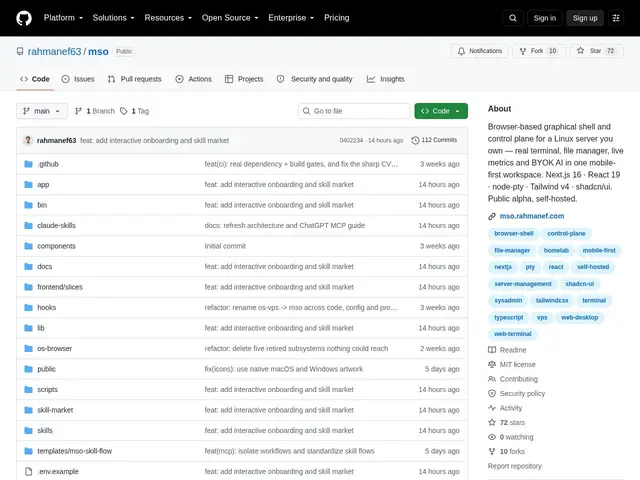
Description
Managing a Linux server you're not physically near usually means SSH-ing in from a laptop — awkward from a phone, and it doesn't give you file browsing, live metrics, or an AI assistant in the same place. Manef Shell OS (MSO) is a self-hosted, browser-based control panel that puts a real terminal, a file manager, live system metrics, and an AI assistant into one mobile-friendly workspace, without the overhead of a full remote desktop.
It runs an interactive PTY terminal (supporting vim, top, ssh, and other full-screen tools), a file browser with upload/search/preview/edit, live CPU/memory/disk/network monitoring, and a BYOK AI assistant that can use OpenAI, Anthropic, Google, or Groq with your own API key. It also exposes an MCP server so tools like ChatGPT, Claude.ai, or Cursor can interact with your server, and includes self-update with pre-flight verification. Built with Next.js 16, React 19, and node-pty; installable via a curl script; MIT-licensed and self-hosted. It's public alpha — 72 GitHub stars, single-owner design, not built for multi-user teams yet.
💬 Our review
The short version: if you manage a home server or VPS and want real terminal access, file management, and system metrics from your phone without opening a full remote desktop session, MSO's mobile-first design does exactly that, for free.
Compared to more established self-hosted admin panels like Cockpit or Webmin, MSO's differentiator is the mobile-first UI and the built-in BYOK AI assistant with MCP support — genuinely useful if you want to ask an AI agent to check on your server state directly. It's public alpha software from a single maintainer, though, so expect rough edges and no multi-user support yet; Cockpit and Webmin are far more mature if you need a battle-tested admin panel today. Network exposure also requires you to set up your own VPN or reverse proxy — there's no built-in secure tunneling.
💰 Pricing
📊 Global score
🤖 AI-enriched data
100% gratuit, licence MIT. Auto-hébergé, installation via script curl. IA en BYOK (vous apportez votre propre clé API).
Pros
Terminal PTY interactif complet (vim, top, ssh) depuis le navigateur
Design mobile-first pensé pour la gestion serveur depuis un téléphone
Assistant IA intégré en BYOK (OpenAI, Anthropic, Google, Groq)
Serveur MCP intégré pour piloter le serveur depuis ChatGPT/Claude.ai/Cursor
Auto-mise à jour avec vérification avant redémarrage
Cons
Statut alpha publique, pas encore prêt pour la production
Conçu pour un seul propriétaire, pas de support multi-utilisateurs
Exposition réseau nécessite de configurer soi-même un VPN/proxy
Communauté encore restreinte (72 stars GitHub)