Vidmoat
An AI video editor that automates cutting, captioning, and multi-platform reformatting from a text prompt instead of a manual timeline.
🔗 Visit Vidmoat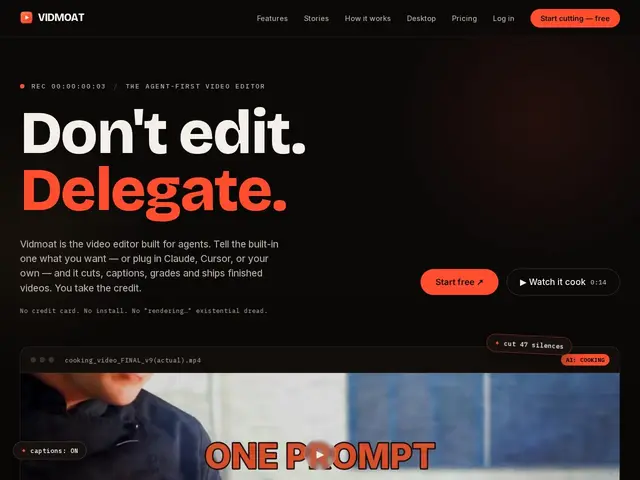
Description
Editing video usually means importing clips, cutting out dead air, adding captions, resizing for five different platforms, and exporting — a slog even before the actual creative work starts. Vidmoat skips most of that by letting you describe what you want in plain language: it finds the silences, writes the captions, reframes for TikTok or YouTube Shorts, and hands you a finished file.
It's built around an AI editing pipeline — auto-cut with silence detection, word-level-synced captions, multi-platform reformatting, background removal/green-screen tooling, and speed ramping — accessible from the web app or a desktop client for larger files. It also ships an MCP server so tools like Claude Code and Cursor can drive edits directly, plus bot integrations for Telegram/WhatsApp. Free tier: 3 projects, 720p with watermark, 40 AI credits/month. Paid tiers (Creator $19/mo, Studio $49/mo with API access, Team $29/seat/mo) raise the resolution cap to 4K, remove the credit ceiling, and add concurrent rendering.
💬 Our review
The short version: if you produce short-form video regularly and want most of the grunt work automated, Vidmoat is a legitimate agent-first alternative to manually cutting in CapCut or Premiere — the free tier is enough to judge fit before paying.
Compared to CapCut (free, manual, huge community) or Premiere Pro (subscription, manual, professional-grade control), Vidmoat trades hands-on editing control for automation: you prompt, it cuts. That's a real time saver for creators publishing often across platforms, but it means less fine-grained control than a timeline editor gives you, and the credit system means heavy users will burn through the free tier fast. The MCP/agent integration is a genuine differentiator for developer-adjacent creators, but casual users who just want a simple mobile editor may find CapCut's free, unlimited workflow simpler.
💰 Pricing
📊 Global score
🤖 AI-enriched data
Gratuit : 3 projets, 720p avec watermark, 40 crédits IA/mois. Creator : 19$/mois (ou 15$/mois annuel) — 4K, projets illimités, 1500 crédits. Studio : 49$/mois (ou 39$/mois annuel) — accès API, 6000 crédits. Team : 29$/siège/mois (min. 3 sièges). Entreprise : sur devis. Essai Creator 14 jours (code WELCOME14).
Pros
Édition entièrement automatisée par prompt (silence, cut, cadrage)
Reformatage multi-plateforme (TikTok, Reels, Shorts) en un clic
Intégration MCP pour piloter l'édition depuis Claude Code/Cursor
App desktop pour les fichiers volumineux
Sous-titres synchronisés mot à mot
Cons
Palier gratuit limité (3 projets, 720p, watermark)
Système de crédits IA qui pousse vite vers les add-ons payants
Accès API réservé au plan Studio (49$/mois minimum)
Moins de contrôle fin qu'un éditeur timeline classique