USB — Universal Skill Bridge
An open-source tool that lets you write an AI agent skill once and install it into 16 different AI runtimes, including Claude Code, Cursor, and MCP.
🔗 Visit USB — Universal Skill Bridge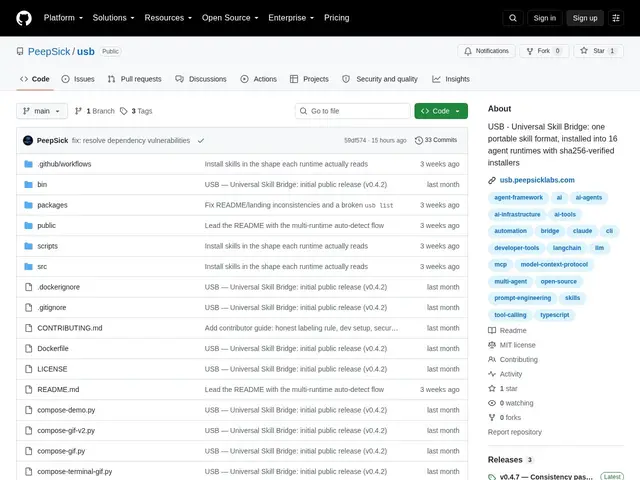
Description
If you've built a custom skill or workflow for one AI coding assistant, getting it working in another usually means rewriting it from scratch — different formats, different plugin systems. USB (Universal Skill Bridge) is an open-source project that lets you define a skill once and install it into 16 different AI agent runtimes, including Claude Code, Cursor, and anything that speaks MCP.
It ships a CLI (usb install/search/list/info), an SDK for building skills, a compiler that converts one skill definition into native formats per runtime, and an MCP server exposing search/install/audit tools. The project includes a catalog of 529 pre-built skills across engineering domains (audit, plan, build, script, diagnose, harden), with sha256-verified downloads and a dry-run mode to inspect a skill before installing it. It's MIT-licensed, free, and very early — beta v0.4.6 with 1 GitHub star and daily commits as of this writing.
💬 Our review
The short version: if you maintain the same custom skill across multiple AI coding tools and are tired of reimplementing it per framework, USB's write-once-install-anywhere model is worth watching — but it's early enough that you should expect the format to still be moving.
There isn't a direct like-for-like competitor yet — most AI coding assistants ship their own proprietary skill/plugin format with no portability layer, which is exactly the gap USB is targeting. The tradeoff of being first is stability: pre-1.0, minimal community validation (1 star), and no legal entity behind it yet, so treat it as an interesting bet rather than infrastructure to depend on for anything mission-critical. For teams standardized on a single tool, the native skill format is simpler and has more community support today.
💰 Pricing
📊 Global score
🤖 AI-enriched data
100% gratuit, licence MIT. SDK et CLI en npm (@peepsick/usb-sdk, @peepsick/usb-cli). Pas de version payante.
Pros
Un skill écrit une fois s'installe dans 16 runtimes différents
Téléchargements vérifiés sha256, workflow inspect-then-install
Catalogue de 529 skills prêts à l'emploi
Serveur MCP intégré pour la gestion programmatique des skills
Développement actif (commits quotidiens)
Cons
Projet très jeune (bêta v0.4.6), API pas encore stabilisée
Adoption communautaire minimale (1 star GitHub)
Pas d'entité légale, viabilité long terme incertaine
Validation qualité des skills pas encore automatisée