Shellme
Free AI-assisted SSH terminal for iPhone, iPad and Mac with on-device command generation and visual server dashboards.
🔗 Visit Shellme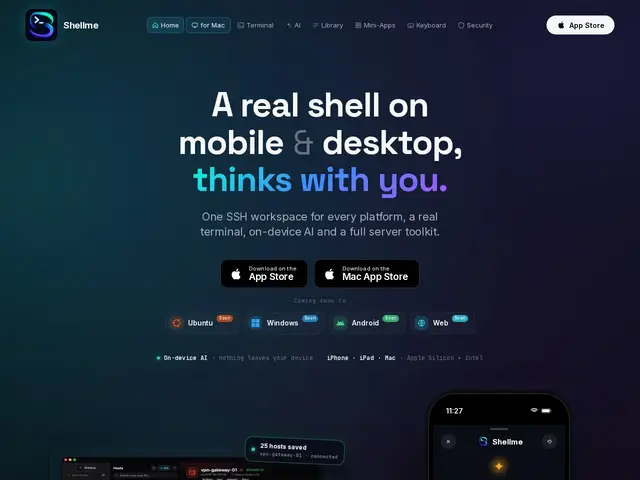
Description
Managing a server from a phone usually means squinting at a tiny terminal window and typing commands from memory, or worse, copy-pasting them from a notes app. Shellme tries to make that less painful by putting an AI assistant right inside the terminal app: describe what you want to do in plain language, and it suggests the shell command, running entirely on the device so nothing about your servers or credentials gets sent to an external AI service. It's built for the moment you need to restart a service or check disk space from your couch, not your desk.
Shellme is a native SSH client for iOS, iPadOS, and macOS that pairs encrypted terminal sessions with visual server dashboards covering 300+ common self-hosted apps, so users can monitor and manage services without memorizing every CLI flag. It ships with 600+ pre-built commands across 38 categories, supports 24 languages, offers multiple terminal themes, and stores credentials through the native system keychain rather than a proprietary vault. The app is free with no subscription tier, which is unusual for a category where most competitors charge for sync or advanced features.
💬 Our review
The short version: Shellme's pitch — AI command generation that never leaves the device — is a genuinely different privacy posture from cloud-AI terminal assistants, and being completely free removes the usual trial-then-paywall friction of this category.
Against Termius (the dominant cross-platform SSH client with cloud sync and a paid Pro tier) and Blink Shell (a well-regarded but developer-focused iOS terminal), Shellme's visual dashboards for 300+ self-hosted apps and on-device AI are the standout features — most SSH clients are just terminals with a connection manager bolted on. The trade-off is platform lock-in: Shellme is Apple-only, so it's not an option for Android or Linux desktop users the way Termius is, and a newer, single-platform app inherently has less track record than tools that have been cross-platform staples for years. For someone already living in the Apple ecosystem who manages a homelab or a handful of servers and wants quick AI-assisted commands without a subscription or a privacy trade-off, Shellme is a strong pick; teams needing Windows/Linux clients or multi-device cloud sync will still need Termius.
💰 Pricing
📊 Global score
🤖 AI-enriched data
Application gratuite sans abonnement, disponible sur l'App Store (iPhone, iPad, Mac)
Pros
IA embarquée on-device, aucune donnée envoyée à un service externe
Gratuit sans abonnement
Tableaux de bord visuels pour 300+ apps self-hosted
600+ commandes pré-construites, 24 langues
Cons
Exclusif à l'écosystème Apple, aucune version Android/Windows/Linux
Pas de synchronisation cloud multi-plateforme
Application récente, moins éprouvée que les clients SSH établis