Scribe
A browser extension that watches you perform a task once and automatically turns it into a step-by-step how-to guide with screenshots, so nobody has to write documentation by hand again.
🔗 Visit Scribe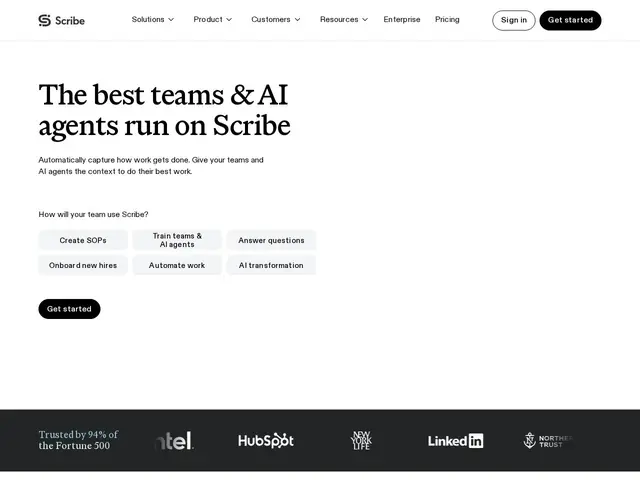
Description
Think of the last time someone asked you "how do I do X in this tool?" and you either had to walk them through it live or write a guide from memory, missing three steps along the way. Scribe removes that friction: turn it on, click through the task normally, and it silently captures every click and keystroke, then assembles a polished guide with screenshots and instructions automatically — no writing required.
Scribe is a workflow documentation and AI platform built around this capture-once, document-automatically loop. Beyond generating individual guides, it analyzes captured workflows to surface inefficiencies and automation opportunities, effectively turning ad-hoc "how we do things" knowledge into a structured, searchable library. It targets HR, Finance, Operations, and IT teams doing onboarding, process documentation, and AI-transformation initiatives inside larger organizations, with enterprise features like auto-redaction of sensitive on-screen data, SSO, and role-based access.
💬 Our review
The short version: if your team's process documentation currently lives in people's heads or in a Google Doc nobody updates, Scribe's capture-once workflow is one of the fastest ways to fix that — the free tier alone (web apps only) is enough to try it on real onboarding pain before paying anything.
Against Guidde or Vidocu, which lean toward polished narrated video output, Scribe stays closer to a classic written step-by-step guide with screenshots, which tends to be faster to scan and easier to keep accurate after a UI changes. Against a plain screen-recording tool like Loom, Scribe's structured, editable, text-first format is far easier to maintain over time than re-recording a video every time a button moves. The catch is price: Pro Personal and Pro Team seats add up quickly for larger teams, and the free plan is limited to web apps, so desktop-software documentation requires paying. For a small team documenting a handful of internal processes, the free tier or a single Pro seat is enough; for company-wide onboarding and process libraries, budget for Pro Team pricing per seat.
💰 Pricing
📊 Global score
🤖 AI-enriched data
Gratuit (web uniquement) ; Pro Personal ~29$/mois/siège ; Pro Team ~17$/mois/siège (min. 5) ; Enterprise sur devis
Pros
Capture automatique du workflow en une seule exécution, zéro rédaction manuelle
Format texte structuré plus facile à maintenir qu'une vidéo
Fonctions entreprise (auto-redaction, SSO) pour processus sensibles
Cons
Palier gratuit limité aux applications web
Tarification par siège qui grimpe vite pour un déploiement à l'échelle de l'entreprise