Codapi
A small tool that adds a "Run" button under any code block in your documentation, so readers can execute the example on the spot instead of copy-pasting it into their own terminal.
🔗 Visit Codapi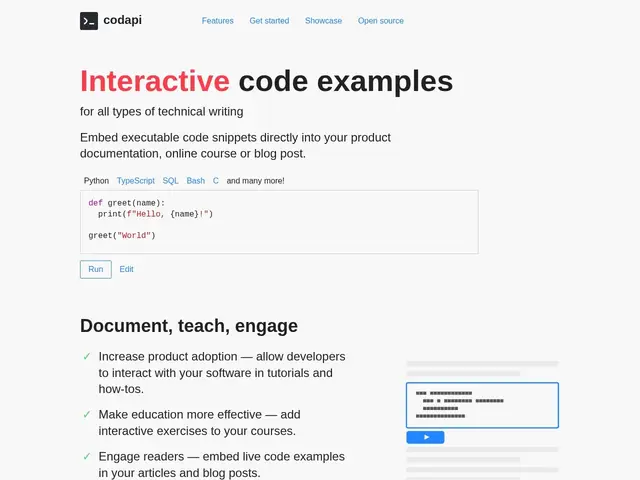
Description
Most tutorials show you code and just trust you'll type it into your own machine to see if it works. Codapi removes that leap of faith: paste a code block into your docs, add one line of markup, and Codapi turns it into a live playground with a "Run" button — readers see real output without ever leaving the page.
Codapi supports over 40 languages, databases, and specialized tools, and includes linting, automated testing, and custom command support for more advanced examples beyond simple "run and print." It's built specifically for people writing documentation, technical blog posts, and online courses rather than for building full applications, and it's offered both as a hosted cloud service (free up to 1,000 runs/month, then $5/month) and as an open-source, self-hostable project under the Apache-2.0 license — a real option for teams that want to keep code execution on their own infrastructure.
💬 Our review
The short version: for documentation and course sites where readers keep having to trust that a code sample works, Codapi is one of the cheapest, most transparent ways to prove it — the free 1,000-runs/month tier and $5/month next step make it an easy yes for a personal blog or small doc site, and the open-source self-hosted option removes the pricing question entirely for teams willing to run it themselves.
Compared to Embedenv, which uses an undisclosed credit-based pricing model, Codapi's flat, published tiers are simply easier to plan around — you know exactly what a busy month costs. It's narrower in scope than a full IDE-style playground like CodeSandbox or StackBlitz, since it's built for single-snippet execution rather than multi-file projects, so it's the right tool for "prove this line of code works," not for "let the reader build a small app." For a documentation site with real traffic, budget for the paid tier or self-host; for a low-traffic blog, the free tier alone will likely be enough.
💰 Pricing
📊 Global score
🤖 AI-enriched data
Gratuit (1 000 runs/mois) ; payant 5$/mois pour plus de volume ; self-hosted gratuit (open-source Apache-2.0)
Pros
Tarification claire et transparente, très accessible
Option self-hosted open-source sans dépendance à un fournisseur
Support de 40+ langages et outils spécialisés
Cons
Limité au snippet unique, pas de projet multi-fichiers
Palier gratuit plafonné à 1 000 exécutions/mois