OverlayQA
Design QA tool that flags visual and accessibility bugs by capturing UI elements with full CSS and technical context before they reach production.
🔗 Visit OverlayQA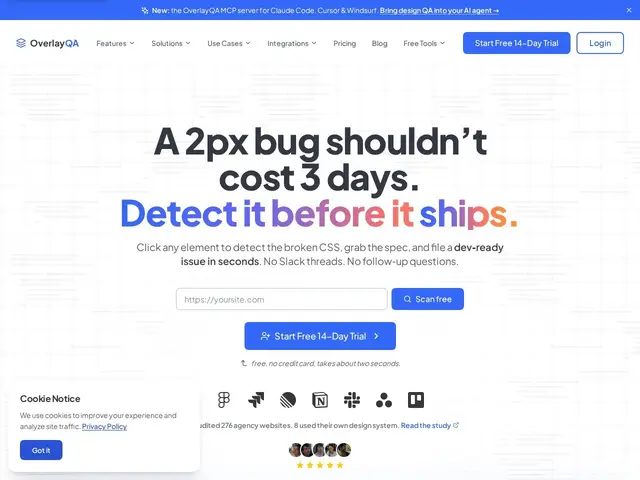
Description
If you've ever shipped a feature and then had someone point out that a button is two pixels off, or that a color contrast fails on mobile, you already know how tedious “design QA” can be — someone has to click around the live site, screenshot the problem, and explain it well enough that a developer can actually fix it without guessing. OverlayQA tries to remove the guesswork from that back-and-forth.
OverlayQA is a design quality-assurance tool built for teams reviewing web interfaces before and after launch. Its Smart Capture feature lets you click any element on a live page to grab a screenshot along with the exact CSS values behind it (spacing, colors, fonts), so a bug report already contains the technical detail a developer needs. It can auto-generate structured issue tickets and sync them two-way with Jira, Linear, Notion, Slack, Asana, or Trello, run design-system audits that flag drift between a component library and what's actually shipped, compare a live page against its design spec, and include accessibility checks and PII redaction in screenshots. It's aimed at product, design, and engineering teams who want fewer vague ‘this looks off’ comments and more actionable, technically precise bug reports, with a 14-day free trial (no credit card) before paid plans starting around $39/month.
💬 Our review
The short version: if your design QA process today is screenshots pasted into Slack with 'can you fix this?', OverlayQA's main selling point is that every capture already carries the CSS values and technical context a developer needs, which cuts out a full round of back-and-forth.
Its direct competitors are older, more general-purpose feedback tools like BugHerd, Usersnap, and Markup.io, which let you annotate a live page but don't extract the underlying CSS or run automated design-system drift detection — that's OverlayQA's actual differentiator, alongside its two-way sync into Jira/Linear/Notion rather than one-directional exports. The tradeoff is price: at $39-249/month depending on tier, it's positioned above the free tiers most general feedback tools offer, and it only pays off if your team is disciplined enough to actually use the design-system audit and accessibility checks rather than just the basic annotate-and-comment loop, which you could get more cheaply elsewhere. Good fit for teams with an established design system who are tired of losing fidelity between Figma and production; overkill if you just need occasional website feedback from a client.
💰 Pricing
📊 Global score
🤖 AI-enriched data
Essai 14 jours sans CB, puis Freelancer ~39$/mois, Starter ~79$/mois, Pro 249$/mois
Pros
Capture avec valeurs CSS exactes incluses
Sync bidirectionnelle Jira/Linear/Notion/Slack
Audit de design system et détection de dérive
Vérifications d'accessibilité intégrées
Cons
Plus cher que les outils de feedback génériques
Valeur réelle seulement si le design system est déjà mature
Marché encombré (BugHerd, Usersnap, Markup.io)