Mirafold
A browser-based interface that upgrades terminal AI coding agents with structured diffs, checklists, and dashboards.
🔗 Visit Mirafold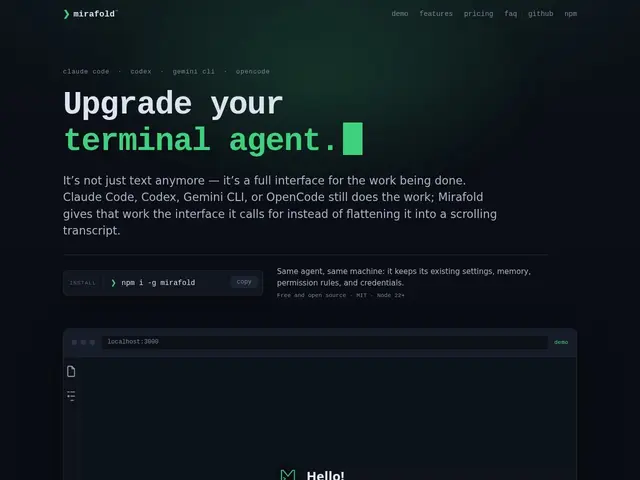
Description
AI coding assistants that run in a terminal — like Claude Code or Gemini CLI — are powerful but communicate mostly through scrolling text, which makes it easy to lose track of what changed across a long session. Mirafold puts a proper visual interface on top of that terminal output: instead of reading walls of text, you see diffs, checklists, and charts you can actually click on.
Mirafold is a browser-based interface that upgrades terminal AI coding agents with structured, interactive UI: code diffs you can review separately from the conversation, live checklists, tables, and charts instead of plain text, and a mission-control dashboard showing every running agent session in one grid. You can request follow-up actions, select specific code hunks, ask for an explanation, or request changes, all through clickable controls rather than typing free-form prompts each time. It's local-first and free for full local use under an MIT license, with a $12/month (or $99/year) Pro tier adding end-to-end encrypted cross-device access via QR code pairing.
💬 Our review
The short version: if you spend real time in Claude Code, Gemini CLI, or similar terminal agents and find yourself scrolling back through walls of text to find what changed, Mirafold's structured UI layer is a genuinely useful upgrade that costs nothing for local use.
Its value proposition is narrow but real: it doesn't replace your coding agent, it makes the same agent's output easier to act on, which is a lower-risk adoption than switching tools entirely. The mission-control view for juggling multiple running sessions is the standout feature for anyone running several agent tasks in parallel — something raw terminal output handles badly. The free tier is genuinely full-featured and local (MIT-licensed), so the $12/month Pro tier is purely about convenience (cross-device access), not core functionality, which is a fair way to monetize. The obvious risk is that this depends entirely on the terminal agents it wraps continuing to expose the hooks Mirafold needs — if Claude Code or Gemini CLI change how they work, Mirafold has to keep up. Worth trying for anyone doing serious daily work with terminal coding agents; unnecessary if you only use agents occasionally.
💰 Pricing
📊 Global score
🤖 AI-enriched data
Gratuit en local (MIT, fonctionnalités complètes) ; Pro à 12$/mois ou 99$/an pour l'accès multi-appareils chiffré
Pros
UI structurée (diffs, checklists, graphiques) au-dessus des agents terminal
Tableau de bord multi-sessions
Gratuit et complet en local (MIT)
Accès multi-appareils chiffré en option
Cons
Dépend des agents terminal qu'il enveloppe (risque de rupture si leur interface change)
N'apporte rien si l'agent est utilisé occasionnellement
Communauté encore jeune