Canvas UI
An open-source library of 35+ GPU-accelerated visual effect components for React, Vue, and other frameworks.
🔗 Visit Canvas UI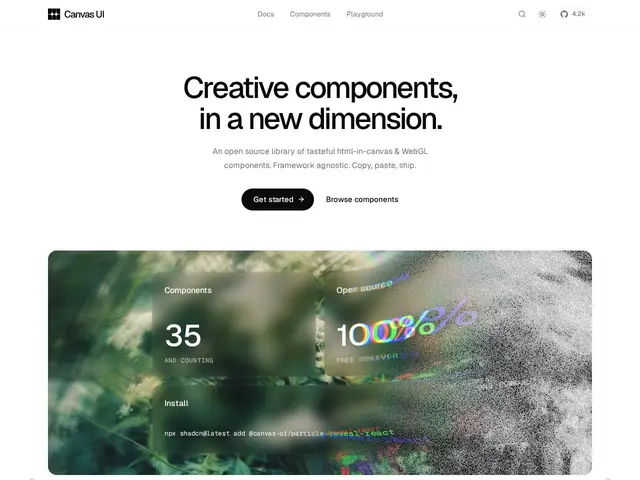
Description
Most website interfaces are built with plain HTML and CSS, which is great for text and layout but limited when you want a genuinely eye-catching visual effect — a liquid distortion, a glass blur, a particle explosion. Canvas UI gives developers a shortcut to those effects: pre-built components you copy into your project instead of writing WebGL shader code from scratch.
Canvas UI is an open-source library of over 35 GPU-accelerated visual effect components — Blaze, Liquid, Glass, Shatter, Particle Reveal, VHS, and more — rendered with HTML-in-Canvas and WebGL, that work independently of your framework's render cycle for smooth performance. It's framework-agnostic, with support for React, Vue, Svelte, Preact, Solid, and vanilla TypeScript, follows a 'copy, paste, ship' model similar to shadcn/ui rather than being installed as a single dependency, and includes performance safeguards like pausing off-screen animations and respecting reduced-motion preferences. It gracefully falls back to plain HTML rendering in browsers that don't support WebGL, and integrates with the shadcn MCP server so AI coding agents can install components directly. It's free and open source under MIT with a Commons Clause restriction — meaning you can use it freely in personal and commercial projects, but you can't repackage and resell the components themselves.
💬 Our review
The short version: if you want striking visual effects — glass blur, liquid distortion, particle reveals — without hand-writing WebGL shaders, Canvas UI's copy-paste component model gets you there fast in whichever frontend framework you already use.
Its closest relative isn't a competing effects library so much as shadcn/ui's distribution model applied to visual effects — you copy the component source into your project rather than adding an opaque npm dependency, which means more control and easier customization, at the cost of manually pulling updates when the library improves. Compared to reaching for a general animation library like GSAP or Framer Motion for similar effects, Canvas UI is more specialized and arguably faster to a specific visual result, but narrower in scope — it's an effects library, not a general animation toolkit. The Commons Clause license is worth reading closely if your business model involves reselling UI kits or templates, since that's explicitly restricted even though normal app usage is unrestricted. A genuinely useful pick for marketing sites and portfolios wanting standout visual moments; less relevant for admin dashboards or internal tools where flashy effects aren't the priority.
💰 Pricing
📊 Global score
🤖 AI-enriched data
MIT + Commons Clause (revente des composants interdite, usage perso/commercial libre)
Pros
35+ effets visuels GPU-accéléré prêts à l'emploi
Compatible React, Vue, Svelte, Preact, Solid, TS vanilla
Dégradation gracieuse si WebGL indisponible
Intégration MCP shadcn pour agents IA
Cons
Licence Commons Clause interdit la revente des composants
Plus étroit qu'une librairie d'animation généraliste (GSAP)
Modèle copier-coller = mises à jour manuelles