Control
A freehand, no-code website builder with shader effects and reusable components — positioned between Webflow's structure and Figma's freedom for designers who want to publish real sites without writing code.
🔗 Visit Control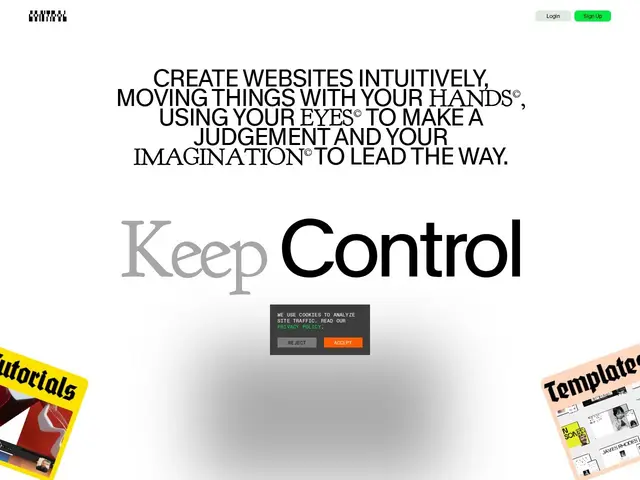
Description
Most website builders make you choose between rigid templates (easy but boring) or a full code editor (flexible but requires a developer). Control tries to split the difference: it's a canvas where you draw and arrange elements freely, like in a design tool, but the result is a real, publishable website — not just a mockup.
Founded in Vienna, Control gives designers a freehand editor with reusable symbols, real-time team collaboration, custom keyframe animations, and shader effects for advanced visual layering — features that go beyond what typical no-code builders offer. It includes responsive design previews, custom grids and breakpoints, and hosting is bundled into paid plans. For teams with developers, it also ships a Next.js SDK so the visual output can be integrated into an existing codebase rather than living only on Control's own hosting.
💬 Our review
The short version: Control's freehand design metaphor and shader/animation toolkit make it noticeably more expressive than Webflow or typical drag-and-drop builders, at the cost of a smaller ecosystem and less mainstream adoption.
Against Figma, Control's advantage is that what you design is directly publishable — no handoff to a developer required — while Figma remains a prototyping tool that needs a separate build step. Against Webflow, the trade-off flips: Webflow has a much larger plugin/template ecosystem and more predictable production behavior, while Control leans harder into visual freedom and motion design. The free tier (3 projects, no custom domain) is a reasonable way to test the workflow before committing; the Pro and Studio tiers are where publishing and custom domains unlock, which is standard for this category. Best suited to design-led teams who want visual richness without a dev handoff; teams needing a mature plugin ecosystem or enterprise CMS features should stick with Webflow.
💰 Pricing
📊 Global score
🤖 AI-enriched data
Gratuit jusqu'à 3 projets (pas de domaine perso ni publication) ; Pro = projets illimités, domaines perso, publication, stockage/bande passante accrus ; Studio = jusqu'à 5 domaines perso. 1 mois d'essai Pro offert à l'inscription.
Pros
Éditeur freehand avec effets shader et animations avancées
Résultat directement publiable, pas de handoff développeur nécessaire
Collaboration d'équipe en temps réel
SDK Next.js pour intégrer le design dans une base de code existante
Cons
Écosystème de plugins/templates plus restreint que Webflow
Domaine perso et publication réservés aux plans payants
Moins établi que les acteurs historiques du no-code