AI Data Extractor
A free command-line tool that pulls your chat history out of Claude Code, Cursor, Windsurf, Aider, and other AI coding assistants and saves it as one clean, portable file format.
🔗 Visit AI Data Extractor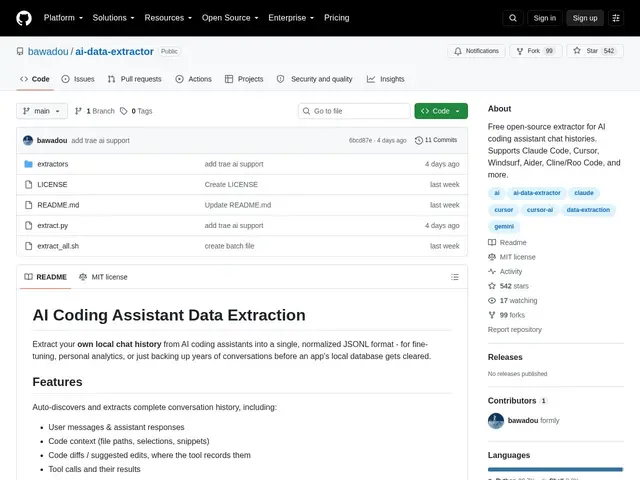
Description
Every AI coding assistant stores your conversation history in its own private, undocumented format, which means switching tools — or just wanting to back up months of useful conversations — usually means starting from zero. AI Data Extractor solves this by reading the local storage of ten different AI coding assistants and converting everything into a single, standard JSONL format, similar to exporting your photos out of a locked-in app before deleting it.
It supports Claude Code, Codex CLI, Cursor, Windsurf, Trae, Continue, Gemini CLI, OpenCode, Cline/Roo Code, and Aider, capturing full conversations — user messages, assistant responses, code diffs, tool calls, timestamps, and model names — for fine-tuning datasets, personal analytics, or archival. It's written in pure Python 3.9+ with zero external dependencies, works cross-platform (macOS, Linux, Windows), uses heuristic-based extraction to handle tools whose storage formats aren't publicly documented, and accesses databases in read-only mode so it never interferes with the assistants it's reading from.
💬 Our review
The short version: if you use more than one AI coding assistant, or you're worried about losing months of useful conversation history locked inside a proprietary local database, this is exactly the kind of small, focused utility that's worth having even though you'll only run it occasionally.
There's no direct competitor doing cross-tool extraction at this breadth — most AI coding tools either don't offer export at all or only export their own format, so the comparison here is really "do this or lose the data." Zero external dependencies and read-only database access are the right calls for a tool poking around other applications' private storage; it minimizes both the install friction and the risk of it breaking something. The trade-off is that heuristic-based extraction for undocumented formats means some tools' exports may be less reliable than others as those apps update their storage internals — a maintenance burden that falls on a single open-source maintainer. Worth installing preemptively if you use multiple AI coding assistants; less urgent if you've only ever used one and have no export need yet.
💰 Pricing
📊 Global score
🤖 AI-enriched data
100% gratuit, licence MIT, zéro dépendance externe.
Pros
Supporte 10 assistants IA de codage différents en un seul outil
Zéro dépendance externe — uniquement la bibliothèque standard Python
Accès en lecture seule aux bases de données, aucune interférence avec les outils actifs
Format de sortie JSONL unifié et portable, cross-platform
Capture complète : messages, diffs de code, appels d'outils, timestamps
Cons
Extraction heuristique pour les formats non documentés — fiabilité variable selon l'outil
Maintenu par un seul développeur, dépendant des mises à jour de chaque assistant supporté
Nécessite Python 3.9+ et une utilisation en ligne de commande
Pas d'interface graphique pour les utilisateurs non techniques