Omarchy
An opinionated, ready-to-use Linux desktop built on Arch Linux by Basecamp's DHH — a curated set of themes, keybindings, and tools instead of a blank system you configure from scratch.
🔗 Visit Omarchy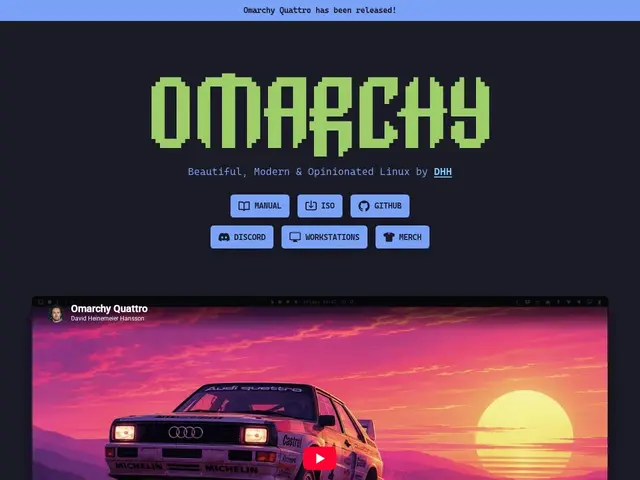
Description
Switching to Linux usually means hours of configuration before it feels usable — picking a desktop environment, a theme, keybindings, and stitching together dozens of tools. Omarchy skips that by shipping all of those choices already made: install it and you get a complete, polished desktop, similar in spirit to how a well-configured dev laptop feels, but free and fully open.
Built on Arch Linux with Hyprland, it bundles a themeable desktop environment, Neovim integration, built-in AI tooling, and a system configuration layer that handles monitors, networking, and authentication out of the box. It supports gaming, Windows VMs for the rare app that needs them, and unattended installs. MIT-licensed and backed financially by the Omacom Foundation ($8M), with 29,000+ GitHub stars and documentation at learn.omacom.io.
💬 Our review
The short version: for a developer willing to live on Arch and wanting someone else's good taste baked in instead of configuring a window manager from zero, Omarchy is one of the fastest paths to a genuinely nice-looking, fast Linux desktop — and it costs nothing.
Compared to installing vanilla Arch plus Hyprland yourself, or a mainstream beginner distro like Ubuntu or Fedora, Omarchy trades customization-from-scratch for DHH's specific aesthetic and workflow choices — you either like the defaults or you're fighting them. It's not aimed at server or headless use, and its community, while active, is far smaller than Ubuntu's or Fedora's, meaning fewer third-party guides when something breaks. For anyone coming from macOS wanting a similarly considered experience without paying for it, or a developer tired of endless dotfiles tinkering, it's a strong, free option; production servers and total customization purists should look elsewhere.
💰 Pricing
📊 Global score
🤖 AI-enriched data
100% gratuit, licence MIT. Financé par la Omacom Foundation (8 M$) pour le développement à long terme, pas de version payante.
Pros
Choix esthétiques et fonctionnels déjà faits par un créateur reconnu (DHH/Basecamp), expérience cohérente
Documentation complète et illustrée (learn.omacom.io)
100% gratuit et open-source (MIT), soutenu financièrement par une fondation dédiée
Intégration Neovim et outils IA prêts à l'emploi
Supporte le jeu vidéo et les VM Windows pour les rares apps incontournables
Cons
Choix très tranchés, peu adapté à qui veut tout personnaliser depuis zéro
Basé sur Arch Linux : demande plus de bagage technique qu'une distro grand public
Communauté plus restreinte que Ubuntu, Fedora ou Debian
Pensé bureau, pas serveur ni environnement headless