CloudCLI
Keeps AI coding agents like Claude Code running in a persistent cloud container you can pick up from your phone, browser, or IDE.
🔗 Visit CloudCLI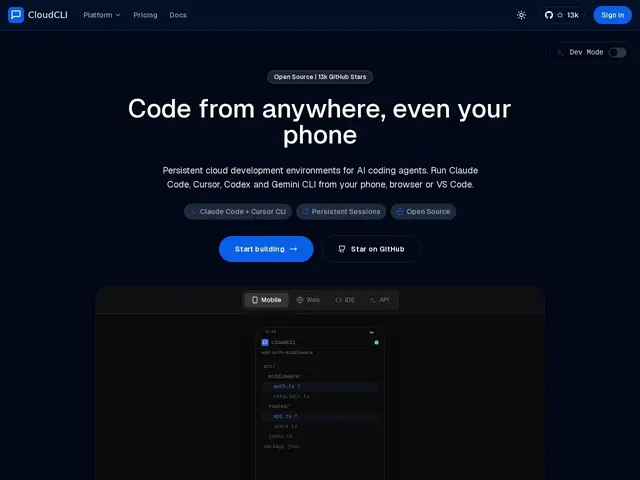
Description
If you've ever kicked off a long AI coding task and then had to sit at your desk waiting for it to finish, CloudCLI fixes that: it runs your AI coding agent (Claude Code, Cursor CLI, Codex, Gemini CLI, OpenCode) inside a cloud container that keeps working even after you close your laptop, so you can start a task on your phone and check in from your desktop IDE later.
Under the hood, CloudCLI is a hosted wrapper around the open-source siteboon/claudecodeui project (13,000+ GitHub stars, AGPL-3 licensed, also self-hostable for free). The hosted version adds persistent containers with running processes and file state preserved across devices, SSH access for plugging into your usual IDE, shared MCP servers and isolated containers for team collaboration, plus a REST API, n8n node and webhooks for automation. Pricing runs from Hobby (€7/mo, one environment) to Team (€39/mo, up to five members), with a 2-day free trial; you still need to bring your own AI API keys.
💬 Our review
The short version: CloudCLI is a smart, cheap way to get "Codespaces for AI agents" — genuinely useful if you already work with Claude Code or similar CLI agents across multiple devices, and it has an honest free self-hosted escape hatch if you'd rather not pay.
The closest comparison is GitHub Codespaces, which is more mature and integrates deeply with GitHub but wasn't built around AI-agent session persistence specifically; CloudCLI's whole pitch is keeping a long-running agent session alive and reachable from anywhere, which Codespaces doesn't really optimize for. Since the core is open source, you can self-host claudecodeui for free if you have the ops time and don't mind managing your own infrastructure — CloudCLI is really selling convenience (multi-device access, SSH, team features) rather than functionality you can't get elsewhere. At €7-20/month it's cheap enough that the convenience is an easy sell for solo developers who move between devices often.
💰 Pricing
📊 Global score
🤖 AI-enriched data
Hobby 7€/mois (1 environnement) ; Growth 20€/mois (5 environnements) ; Team 39€/mois (5 environnements, jusqu'à 5 membres) ; Enterprise sur devis. Essai gratuit 2 jours. Environnement additionnel : +5€/mois. Auto-hébergement gratuit via le repo open source.
Pros
Basé sur un projet open source populaire (13K+ étoiles GitHub), donc auditable et auto-hébergeable gratuitement
Continuité de session multi-appareils (mobile, navigateur, IDE, SSH)
Support de plusieurs agents IA (Claude Code, Cursor CLI, Codex, Gemini CLI, OpenCode)
Tarif d'entrée très bas (7€/mois)
Cons
Nécessite vos propres clés API IA en plus de l'abonnement
Moins mature et intégré que GitHub Codespaces
La version gratuite exige de gérer soi-même l'hébergement (compétences ops requises)
Fonctionnalité surtout centrée sur des agents CLI spécifiques, pas un IDE cloud généraliste