SubtitleGenerator
Browser-based AI subtitle generator that transcribes videos, flags the words it's unsure about for a quick manual check, and exports to 8 subtitle formats without requiring signup.
🔗 Visit SubtitleGenerator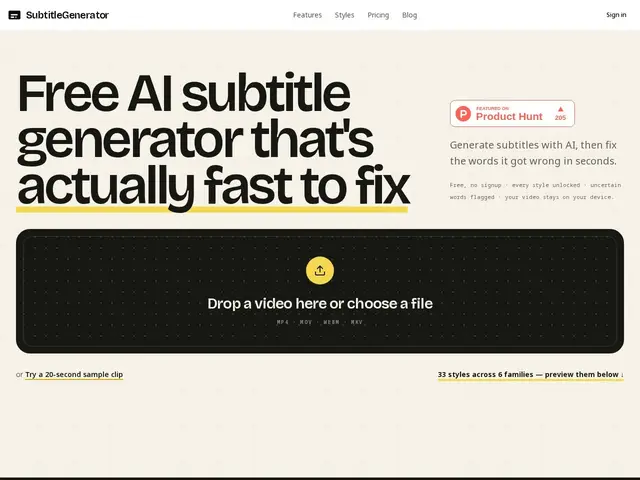
Description
Adding subtitles to a video usually means one of two bad options: pay someone to transcribe it by hand, or run it through an automated tool and then have to rewatch the whole thing to catch the mistakes. SubtitleGenerator tries to remove that second chore. Instead of pretending its AI transcription is perfect, it highlights the specific words it wasn't confident about — so instead of rewatching your entire five-minute video line by line, you jump straight to the handful of spots the tool itself flagged as shaky, fix those, and move on. It works right in your browser: no account to create, no software to install, and your video file stays on your own device rather than being uploaded somewhere.
Under the hood, SubtitleGenerator runs speech-to-text transcription with word-level confidence scoring, surfacing a review queue of low-confidence terms rather than forcing a full manual re-check of the transcript. Once edited, subtitles can be exported in 8 formats (covering the common bases like SRT and VTT for most editors and platforms), and the workflow is built to slot into existing pipelines — including Premiere Pro and DaVinci Resolve — rather than replacing your editing suite. Processing happens client-side/local-to-device for the source video, which keeps footage off third-party servers, an appealing property for anyone handling client media or sensitive footage.
💬 Our review
The short version: SubtitleGenerator is a fast, no-signup way to get accurate captions without paying for full-blown editing software or human transcription — its standout feature is that it tells you exactly which words it's unsure about, so you're not stuck rewatching the whole clip to catch AI mistakes.
Compared to Rev, which offers human transcription, SubtitleGenerator is faster and much cheaper, but Rev will generally be more reliable for high-stakes accuracy needs (legal, broadcast, or anything where a transcription error is costly) since a person, not a confidence score, is doing the final check. Compared to Descript and Kapwing, which are full editing suites with subtitles as one feature among many, SubtitleGenerator is narrower but also lighter and cheaper — you're not paying for a timeline editor, screen recorder, and AI voice tools you may never touch if all you need is captions. On price, the pay-as-you-go option ($3 for 20 minutes, no expiry) is genuinely good value for anyone with occasional, one-off subtitle needs, since it avoids committing to a monthly plan; the $9/month Pro tier is reasonable for regular creators, though the free tier's 720p cap and watermark make it more of a trial than a usable long-term option.
💰 Pricing
📊 Global score
🤖 AI-enriched data
Freemium avec 3 formules payantes : Gratuit (60min/mois, export 720p avec filigrane), Pro à 9$/mois ou 90$/an (700min/mois, HD, haute précision), Max à 15$/mois ou 150$/an (1400min/mois). Option à l'usage : 3$ pour 20 minutes, sans expiration.
Pros
Word-level confidence flagging turns proofreading into a targeted review queue instead of a full rewatch
No signup required and video files stay local on device rather than being uploaded
Exports to 8 subtitle formats with integrations into Premiere Pro and DaVinci Resolve workflows
Pay-as-you-go option ($3/20min, never expires) is genuinely useful for occasional users
Cons
Free tier caps at 720p export and adds a watermark, limiting it to a trial rather than real use
Not a full editing suite — no timeline editing, effects, or the broader toolset Descript or Kapwing offer
AI transcription still needs manual review for accuracy-critical use cases, unlike Rev's human transcription