BracketView
A JSON viewer, formatter, and comparison tool available as both a web app and a Windows desktop app, with querying and webhook testing built in.
🔗 Visit BracketView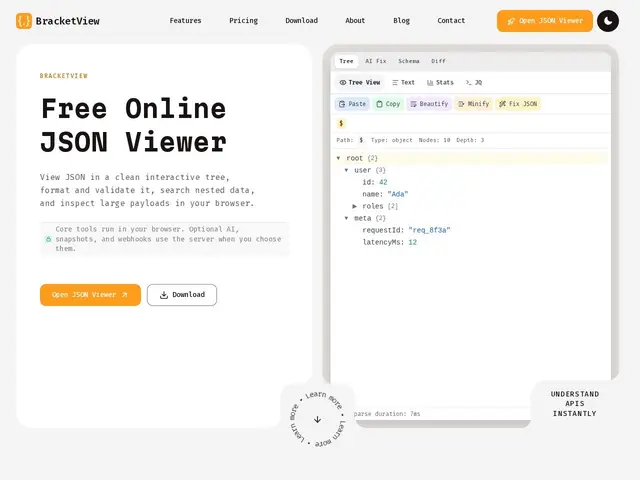
Description
JSON is the format that many apps and websites use to exchange data behind the scenes — often it looks like a dense, unreadable wall of text. BracketView takes that wall of text and turns it into something you can actually read: it formats it neatly, checks whether it's built correctly (no missing brackets or typos), and lets you compare two versions side by side to spot what changed.
Under the hood, BracketView supports JSONPath and jq queries for pulling specific values out of large payloads, a diff view for comparing two JSON documents, and a webhook testing tool for inspecting incoming requests. It ships in two forms: a browser-based app at app.bracketview.in with freemium pricing and AI-assisted repair for broken JSON, and a native Windows desktop app that runs entirely offline, with no cloud dependency and no login required.
💬 Our review
The short version: BracketView is a solid, no-nonsense JSON toolkit that covers viewing, formatting, validation, querying (JSONPath/jq), diffing, and webhook testing — and it's one of the few tools in this space that also ships as a real Windows desktop app for people who don't want their data touching a browser tab or a cloud server.
Compared to JSON Editor Online and JSONCrack — both free, browser-only tools — BracketView's core feature set overlaps heavily, but it adds a genuine offline desktop option and AI-powered repair for malformed JSON, which neither competitor offers. If you never leave the browser and don't need AI repair or webhooks, JSON Editor Online or JSONCrack will do the job for zero dollars. Compared to Dadroit, which is built for opening and searching enormous JSON files (multi-gigabyte) at speed, BracketView is a lighter, more general-purpose tool — Dadroit is the better pick if your daily pain point is loading massive log dumps, but it costs meaningfully more and lacks BracketView's web/desktop dual availability. On price, BracketView is hard to argue with: the free tier already includes every core tool (viewer, formatter, validator, JSONPath, jq, diff) with no artificial feature-gating, and Pro is $3/month ($2.25/month billed annually) for higher limits — one of the lowest asks in the category for anyone who actually needs the AI repair or higher webhook/upload limits.
💰 Pricing
📊 Global score
🤖 AI-enriched data
Gratuit avec les outils de base illimités (visionneuse, formateur, validateur, JSONPath, jq, diff), 5 Mo par upload, 20 actions IA/mois, 3 webhooks. Pro : 3 $/mois (ou 2,25 $/mois en facturation annuelle) pour 50 Mo, actions IA illimitées et 25 webhooks.
Pros
Palier gratuit très généreux : tous les outils de base sans limite artificielle
Appli desktop Windows 100% hors-ligne, sans compte ni cloud
Réparation JSON assistée par IA
Tarif Pro très bas (3 $/mois) pour des besoins avancés
Cons
Appli desktop réservée à Windows (pas de macOS/Linux)
Réparation IA et volumes élevés réservés au plan payant
Pas conçu pour les fichiers JSON extrêmement volumineux (contrairement à Dadroit)