TshirtDesignAI
AI tool that turns a text prompt or reference image into a print-ready t-shirt design with live garment previews.
🔗 Visit TshirtDesignAI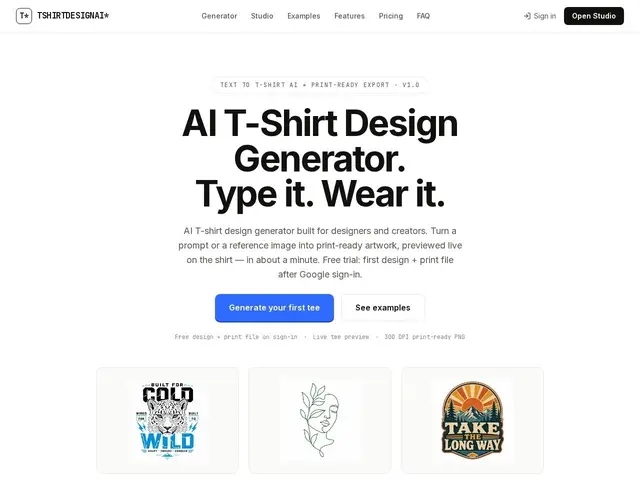
Description
Imagine typing a sentence like "a vintage sunset with a cartoon fox riding a skateboard" and getting back an actual t-shirt design a minute later, already sized and formatted for printing. That's what TshirtDesignAI does: no Photoshop, no Illustrator, no design skills required. You describe what you want (or upload a reference image), pick a style, and the AI generates the artwork, shows you what it looks like on a real garment in different colors, and hands you a file ready to send to a print shop or upload to a print-on-demand platform.
Under the hood, the tool offers 9 distinct art styles (vintage, bold typography, cartoon mascot, line art, grunge, kawaii, emblem, watercolor, Y2K) and lets users preview generated artwork across 6 garment types and 12 colors before committing credits. Image-to-image generation accepts reference uploads for style-matching, and batch mode can produce 20 to 50 design variations in one pass on paid plans. Exports are transparent 300 DPI PNG files at 4500x5400px, a resolution and format aligned with DTG (direct-to-garment) and screen-print production requirements, so files go straight from generation to production without manual resizing or background removal.
💬 Our review
The short version: if you just need a decent t-shirt graphic without opening a design app, TshirtDesignAI gets you from prompt to print-ready file faster than almost anything else out there — the free tier is generous enough to test it, and the output quality across styles is consistent enough for real merch, not just mockups.
On the technical side, the natural comparison is Canva (free to $12.99/mo) for general design, or Placeit and Kittl (roughly $15-40/mo) for merch mockups and templates. Canva is broader but requires you to actually design something yourself or hunt for a usable template; Placeit and Kittl lean on template libraries and mockup generation rather than genuine AI image synthesis from a text prompt. TshirtDesignAI is narrower — it does one thing, t-shirt-ready AI artwork, and does not attempt to be a general design tool or handle other product types. That focus is both its strength and its limit: a print-on-demand seller producing dozens of listings a month will find the $19/mo Pro tier (300 credits, batch of 20, commercial rights) reasonably priced given the time saved versus commissioning or hand-designing each graphic, but a hobbyist making one shirt for a birthday will likely never need to pay at all, and anyone needing packaging, mockups for other products, or brand assets beyond t-shirts will need a separate tool alongside it.
💰 Pricing
📊 Global score
🤖 AI-enriched data
Gratuit avec 2 crédits (fichier d'impression inclus) ; Pro 19$/mois pour 300 crédits et usage commercial ; Team 59$/mois pour 1500 crédits et export ZIP en masse
Pros
Génération de design par simple description texte, sans logiciel
Aperçu en direct sur 6 types de vêtements et 12 couleurs
Export prêt à l'impression (300 DPI, 4500x5400px) compatible DTG et sérigraphie
Génération par lot jusqu'à 50 designs pour les vendeurs à volume
Offre gratuite fonctionnelle avec fichier d'impression inclus
Cons
Outil très niche, limité aux t-shirts, pas d'autres produits ni usages design généraux
Système de crédits qui peut vite se consommer en mode batch
Pas d'alternative citée sur le site pour comparer objectivement le rapport qualité-prix