Thumblore
AI thumbnail generator that turns a short video description into a click-optimized YouTube, TikTok, or Instagram thumbnail in seconds.
🔗 Visit Thumblore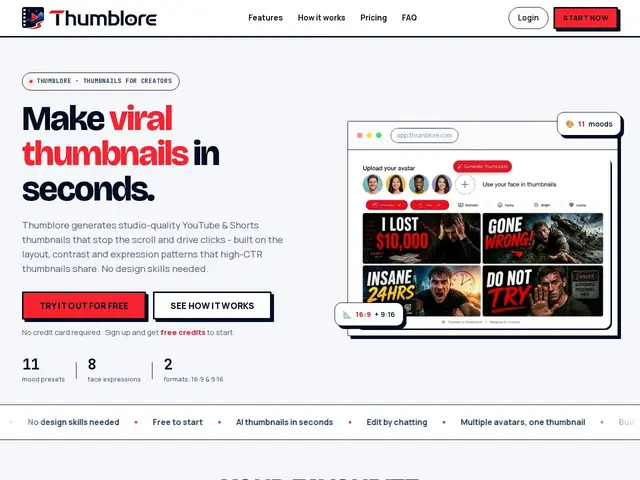
Description
Making a good thumbnail is one of those things every video creator knows matters — a bad one tanks your click-through rate no matter how good the video is — but most people don't have Photoshop skills or the patience to fiddle with layers and fonts every time they upload. Thumblore skips all that: you describe your video in a sentence or two, and it designs a finished thumbnail image for you, ready to upload to YouTube, TikTok, or Instagram, no design software or experience required.
Under the hood, Thumblore offers 11 mood presets (Gaming, Cinematic, Horror, Luxury, and others) to match the tone of different content genres, and supports both 16:9 (YouTube, landscape) and 9:16 (Shorts, Reels, TikTok) formats. Creators can set up reusable AI avatars so their face appears consistently across thumbnails, with multi-avatar support for collabs and podcast-style channels with more than one host. Edits are done conversationally — you describe the change you want in plain English rather than dragging elements around — and exports are HD with no watermarks, even on paid tiers.
💬 Our review
The short version: Thumblore is a solid pick if you upload often and want decent-looking thumbnails without opening a design tool every time, but it's a paid subscription for something Canva can do for free if you're willing to spend the extra ten minutes.
Compared to Canva (free, or $13/mo for Canva Pro), which offers general-purpose design with manual thumbnail templates you drag and drop yourself, Thumblore's edge is speed — you type a description and get a finished image, no manual layout work. Against more specialized competitors like ThumbnailAI or Vidyo.ai, which target the same AI-generated-thumbnail niche, Thumblore differentiates mainly through its mood presets and reusable avatar system. The catch is cost at scale: the Starter plan works out to roughly $0.22 per thumbnail at full usage (40 thumbnails for $9), which adds up fast for a high-volume channel posting daily or multiple times a day — a Canva subscription with manual templates ends up cheaper per asset once you're producing dozens a month. There's also a real risk of visual sameness: because the AI avatars and layouts draw from a shared underlying model, thumbnails from different Thumblore users can start to look uncannily similar to each other, which undercuts the whole point of a thumbnail standing out in a crowded feed.
💰 Pricing
📊 Global score
🤖 AI-enriched data
Gratuit avec fonctionnalités limitées, puis de 9 $/mois (~40 miniatures) à 45 $/mois (~240 miniatures)
Pros
Génération de miniatures en quelques secondes à partir d'une simple description
11 presets d'ambiance adaptés aux différents genres de contenu
Avatars IA réutilisables pour une identité visuelle cohérente
Formats 16:9 et 9:16 pour YouTube, Shorts, Reels et TikTok
Export HD sans filigrane, édition par instructions en langage naturel
Cons
Coût par miniature élevé sur le forfait Starter (~0,22 $/miniature) pour les chaînes à fort volume
Visages IA génériques qui peuvent sembler artificiels ou similaires d'un créateur à l'autre
Pas de mention d'export en formats éditables (PSD, calques)