GoCodeo
GoCodeo is a VS Code extension that acts as an AI coding agent, generating code, tests, and deployments across 25+ frameworks.
🔗 Visit GoCodeo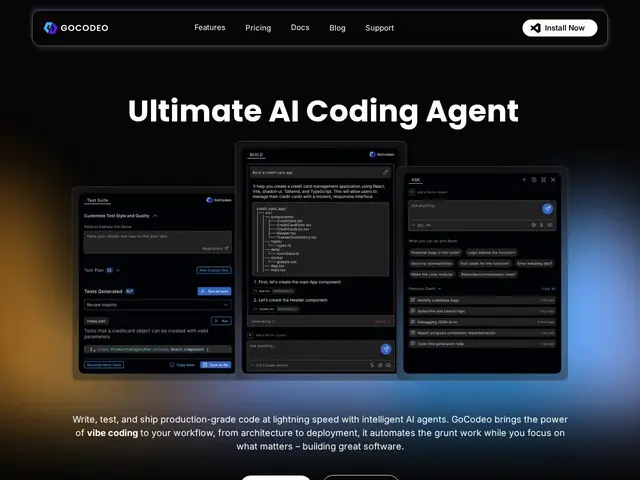
Description
GoCodeo is an AI assistant that lives inside your code editor and does a lot of the typing for you. Instead of writing every line yourself, you describe what you want in plain English, and GoCodeo writes the code, checks it with automatically generated tests, and can even push it live to services like Vercel or Supabase with one click. It's aimed at people who already build software (or are learning to), but it removes a lot of the repetitive setup and boilerplate work so you can focus on the actual idea you're building.
Under the hood, GoCodeo is a Visual Studio Code extension built around the Model Context Protocol (MCP), giving its agent access to 100+ tools for tasks like web search, Git operations, and deployment pipelines. It supports 25+ frameworks (React, Next.js, Django, and others) across 10+ programming languages, and it routes requests across multiple LLMs — Claude, Gemini, DeepSeek, GPT-4o, and o3-mini — depending on the task. Core features include real-time autocompletion, test generation in under 30 seconds, AI-assisted Git workflows (branches, commits, PRs), and one-click deploys to Supabase and Vercel, all without leaving the editor.
💬 Our review
The short version: GoCodeo is a competent AI coding assistant with a genuinely useful free tier and slick deploy shortcuts, but it's entering an extremely crowded field where the big names already dominate developer mindshare — worth a try if the price and multi-LLM flexibility appeal to you, less obviously a must-switch if you're already happy with your current tool.
Technically, GoCodeo sits in the same category as GitHub Copilot (~$10-19/mo), Cursor (~$20/mo), and Cline (free, open-source), and the honest comparison is that differentiation beyond pricing is thin. Its MCP-powered tooling, multi-LLM routing, and built-in deploy integrations (Supabase/Vercel) are nice conveniences, but Cursor and Copilot both offer comparable multi-model access and agentic features at similar or lower cost, and Cline gives away a large chunk of this functionality for free as an open-source extension. GoCodeo's free tier (50 premium requests/mo) is generous relative to Copilot's free tier, which is a real point in its favor for hobbyists, but teams evaluating AI coding tools should treat GoCodeo as one of many close substitutes rather than a category leader — the AI-coding-assistant market in 2026 is saturated, and most tools here converge on similar feature sets.
💰 Pricing
📊 Global score
🤖 AI-enriched data
Gratuit avec quotas (50 requêtes premium/mois) ; payant à partir de 9$/mois (Starter), 19$/mois (Pro)
Pros
Niveau gratuit généreux (50 requêtes premium/mois)
Déploiement en un clic vers Supabase et Vercel
Accès multi-LLM (Claude, Gemini, DeepSeek, GPT-4o, o3-mini)
Génération de tests unitaires en moins de 30 secondes
Compatible avec 25+ frameworks et 10+ langages
Cons
Marché ultra-saturé — peu de différenciation face à Copilot, Cursor ou Cline
Extension VS Code uniquement, pas d'IDE autonome
Quotas de requêtes premium limités même sur les plans payants