HyNote for Mac
Records and transcribes every meeting, audio file, or video straight on your Mac — no bot joining your Zoom call, no audio leaving your machine — then turns the transcript into a structured summary with action items, for free.
🔗 Visit HyNote for Mac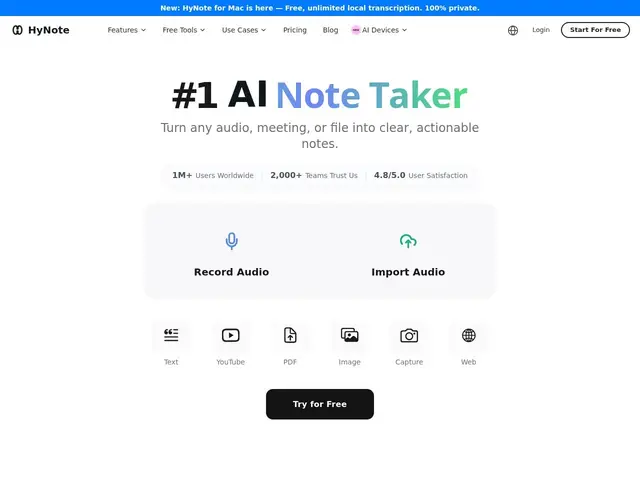
Description
Most AI meeting notetakers work by sending a bot into your Zoom or Teams call, which means a stranger-shaped icon shows up in the participant list and your audio gets streamed to someone else's server. HyNote for Mac skips that entirely: it captures system audio directly on your machine, transcribes it locally, and never uploads the recording anywhere.
Beyond live meeting capture (Zoom, Teams, Meet, Webex), it accepts eight input types — audio files, PDFs, videos, web pages — and turns them into structured notes using 30+ templates (interview notes, SWOT analysis, follow-up emails). Rather than a flat transcript, it produces an abstractive AI summary with action items pulled out, exportable to Google Docs, Notion, or PDF, with speaker labels and 99%-accuracy transcription across 50+ languages.
💬 Our review
The short version: if you want meeting notes without a bot visibly joining your call or your audio touching someone else's server, HyNote's Mac app does that for free, with no catch on the local transcription itself.
Compared to Otter or Fireflies — which join your call as a visible bot and process audio in the cloud — HyNote's local-only approach is the differentiator, not a feature checklist; both competitors have more mature cross-platform and integration ecosystems. The tradeoff is scope: HyNote's free tier is a Mac app, so teams needing Windows support, shared team workspaces, or deep CRM integrations will still lean on cloud-first tools, while individuals who just want private, accurate notes on their own machine get exactly that for nothing.
💰 Pricing
📊 Global score
🤖 AI-enriched data
App Mac gratuite et illimitée (local) · offre cloud plus large en freemium payant
Pros
100% local, aucun bot ne rejoint la réunion, audio ne quitte jamais le Mac
8 types d'entrée (réunions, audio, PDF, vidéo, web)
Résumés IA abstractifs avec actions extraites, pas juste une transcription brute
30+ templates prêts à l'emploi (SWOT, notes d'entretien...)
Cons
Fonctionnalités les plus avancées (sync multi-appareils, sécurité entreprise) rattachées à l'offre cloud payante
Mac uniquement pour la version locale — pas d'équivalent Windows local annoncé