Yatko
Turns a GitHub repo into a proper "Download" button — swap github.com for yatko.app in the URL and it hands visitors the right file for their OS and CPU automatically, instead of a page of confusing release assets.
🔗 Visit Yatko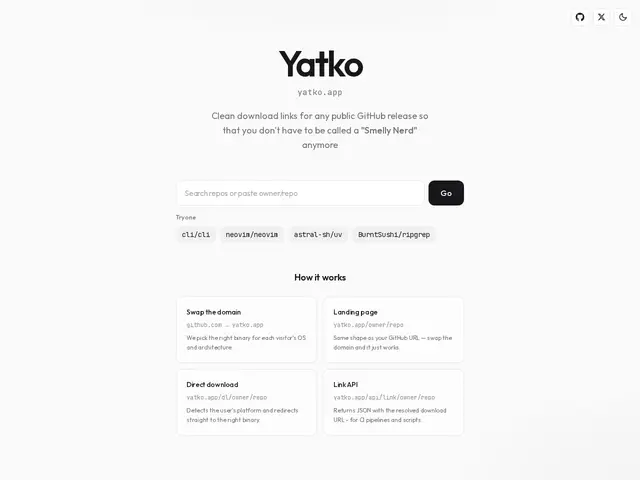
Description
GitHub's release page is built for developers, not for the average person trying to install a CLI tool or a desktop app: a wall of files like tool-x86_64-apple-darwin.tar.gz and tool-windows-amd64.zip that means nothing to someone who just wants "the download button." Yatko fixes that specific annoyance with a small trick: change github.com/owner/repo in the URL to yatko.app/owner/repo, and visitors land on a simple page that detects their operating system and CPU architecture and hands them the one correct file.
It's aimed at open-source maintainers who don't want to build a custom download page just to make their release assets approachable, and at anyone sharing a CLI tool with less technical users. Beyond the web interface, it also exposes a JSON API endpoint, so it can be wired into CI/CD pipelines or install scripts that need to resolve the right binary programmatically. It's itself free and open source.
💬 Our review
The short version: if you maintain an open-source CLI or desktop tool and you're tired of pointing non-technical users at a confusing GitHub releases page, Yatko is a zero-cost, one-URL-swap fix.
It doesn't compete with a general binary package manager or a full release-management platform — its scope is narrower and simpler: just make GitHub release downloads sane for humans. That narrowness is the whole value proposition; there's nothing to configure or maintain, since it works off any public repo automatically. The obvious limitation is that it depends entirely on GitHub Releases being used correctly by the maintainer (consistent naming for platform binaries), and it won't help if your project distributes through a package manager instead of raw binaries. For any project handing out cross-platform binaries via GitHub Releases, it's a free improvement with essentially no downside.
💰 Pricing
📊 Global score
🤖 AI-enriched data
100% gratuit, open-source
Pros
Un simple changement d'URL, zéro configuration
Détection automatique de l'OS et de l'architecture
API JSON pour intégration CI/CD et scripts d'install
Gratuit et open-source
Cons
Dépend d'une convention de nommage cohérente côté mainteneur
Ne remplace pas un vrai gestionnaire de paquets
Inutile pour des projets distribués hors GitHub Releases
Outil de niche, périmètre volontairement très restreint