OpenLogi
A free, open-source app for remapping buttons and adjusting DPI on Logitech mice and keyboards — without the account sign-in, cloud sync, or telemetry that Logitech's own Options+ software requires.
🔗 Visit OpenLogi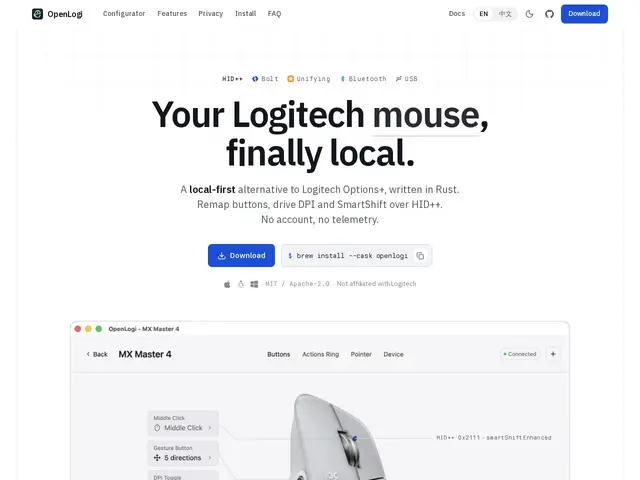
Description
If you own a Logitech mouse or keyboard, Logitech wants you to install Options+ to customize it — which means creating an account, letting it phone home, and trusting a cloud-connected app just to remap a couple of buttons. OpenLogi does the same job without any of that: it talks to the device directly over the same HID++ protocol Logitech uses, so remapping, DPI presets, and scroll-wheel behavior work entirely offline.
Under the hood, OpenLogi supports Logitech's Bolt, Unifying, Lightspeed, Bluetooth, and USB connection types, and exposes 44 built-in remappable actions plus SmartShift ratchet/free-spin control for supported wheels. All settings live in plain, human-readable TOML files rather than a hidden cloud profile, so configs are easy to inspect, back up, or version-control. It's open-source under a dual MIT/Apache-2.0 license and ships native builds for macOS, Windows, and Linux — the last of which Logitech's own software doesn't officially support at all.
💬 Our review
The short version: if you just want your Logitech mouse buttons remapped without signing into an account or running background telemetry, OpenLogi does that job for free and works on Linux, where Logitech offers nothing official.
Compared to Logitech Options+ (cloud account required, Windows/macOS only, closed source) and Solaar (the long-running open-source alternative, Linux-focused with a more utilitarian interface), OpenLogi's angle is being cross-platform, actively maintained, and privacy-first by default — no telemetry, no account, config stored as plain TOML you control. The tradeoff is newness: as a younger project it has a smaller user base and community than Solaar, and per-app profiles — a feature Options+ already has — are still listed as coming soon rather than shipped. For most single-device users who just want remapping and DPI control without the cloud baggage, that's a fair trade; power users who need per-application profile switching today should check the roadmap first.
💰 Pricing
📊 Global score
🤖 AI-enriched data
Gratuit et open-source (MIT / Apache-2.0)
Pros
100% local, aucun compte ni télémétrie requis
Multi-plateforme natif (macOS, Windows, Linux) — Linux non couvert officiellement par Logitech
Configuration en TOML brut, facile à inspecter et versionner
Open-source, licence permissive dual MIT/Apache-2.0
Cons
Projet plus jeune, communauté plus petite que Solaar
Profils par application listés « à venir », pas encore disponibles
Pas de support officiel de l'éditeur (reverse-engineering du protocole HID++)