Murmell
A shared cloud canvas where multiple AI coding agents (Claude Code, Codex, OpenCode) work on the same project at once, without overwriting each other's files.
🔗 Visit Murmell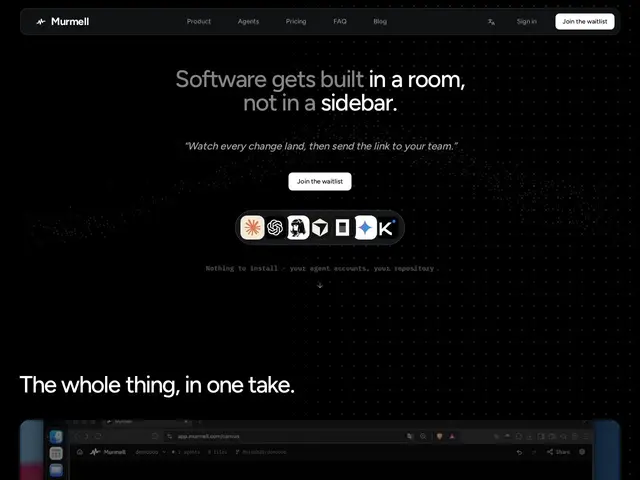
Description
If you've ever tried running more than one AI coding assistant on the same project at the same time, you already know the problem: they trip over each other, overwrite each other's changes, and you end up more confused than when you started. Murmell fixes that by giving every AI agent its own window on one shared, always-on cloud machine — like a shared whiteboard where each agent claims the files it's working on, so nothing gets clobbered, and you (and your teammates) can watch it all happen live in the browser.
Under the hood, Murmell spins up a cloud sandbox with a private GitHub repo, then lets you launch multiple agent windows — each running a real terminal with your agent of choice (Claude Code, Codex, Kimi, OpenCode) — inside one shared canvas. A file-reservation system prevents two agents from writing the same file simultaneously, sessions can be shared via a link so teammates see the same canvas in real time, and machines sleep when idle so you're not paying for runtime you don't use.
💬 Our review
The short version: if you're already juggling two or three AI coding agents on the same codebase by hand — separate terminals, separate branches, hoping nobody steps on anyone's toes — Murmell turns that chaos into one coordinated view, at a real subscription cost ($39-$149/month) rather than free.
Against running Cursor or Replit's built-in agent solo, Murmell's whole pitch is coordination at scale: it's built for multiple agents and multiple people on one project, not a single assistant helping one developer. That's a genuinely different use case — most teams don't need five agents editing one repo simultaneously, which makes Murmell a niche fit: multi-agent power users, agencies running parallel workstreams, or teams experimenting with agent orchestration. If you just want one good AI pair programmer, Cursor or GitHub Copilot Workspace stay cheaper and simpler. The 7-day free trial and file-locking mechanism are the two most concrete reasons to try it before assuming you need it. <!-- ai-generated -->
💰 Pricing
📊 Global score
🤖 AI-enriched data
Solo $39/mois ; Pro $69/mois ; Builder $149/mois — tous avec essai 7 jours
Pros
Coordination multi-agents sans conflits de fichiers
Canvas partageable en temps réel
Compatible avec vos propres clés API d'agents
Cons
Pas de plan gratuit permanent
Cas d'usage niche (un seul agent suffit à la plupart des devs)