DataKit
A local-first, browser-based data studio (built on DuckDB) for previewing, querying, and visualizing big files and databases without uploading your data anywhere.
🔗 Visit DataKit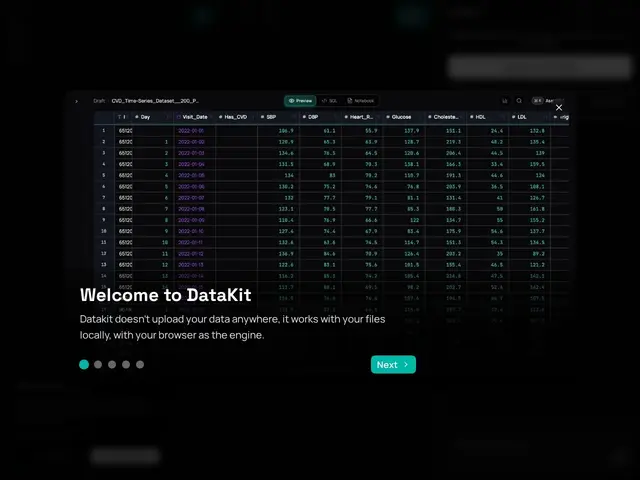
Description
Opening a multi-gigabyte CSV or connecting to a database usually means picking between a clunky spreadsheet that chokes on the file size, or a full-blown BI tool that takes a week to set up. DataKit sits in between: it's a data workspace that runs in your browser (or locally via Homebrew, Docker, Python, or Node), lets you preview and explore huge files instantly, write SQL with natural-language help, and connect to sources like MotherDuck, Hugging Face datasets, S3, Excel, CSV, Parquet, and JSON — all without shipping your data to a third-party server unless you choose to.
Under the hood, DataKit is powered by DuckDB and WebAssembly, which is what lets it query large local files quickly without a backend server. It combines a data-inspection/preview pane, a full SQL editor with natural-language assistance (backed by LLMs from Anthropic, OpenAI, or xAI), and connectors to common data sources, aimed at analysts and engineers who want a fast, privacy-first alternative to spinning up a full data warehouse just to look at a file.
💬 Our review
The short version: DataKit is a fast, privacy-conscious way to poke at a big CSV or Parquet file and run SQL against it without provisioning a database — genuinely useful if your workflow is 'I have a file, I need answers,' less so if you need dashboards or scheduled reporting.
Against a notebook-based workflow like Jupyter, DataKit trades flexibility for speed: you get instant previews and SQL without writing setup code, but you lose Python's full data-science ecosystem. Against a desktop DB client like DBeaver, DataKit's edge is handling flat files (CSV/Parquet/JSON) as naturally as databases, plus the AI-assisted SQL layer. Its most exposed weak spot is pricing transparency — there's no public pricing page, and the free-vs-paid boundary isn't clearly published, so budgeting for team use requires reaching out directly. For a solo analyst or engineer just wanting to explore a big file locally, that's a minor friction; for a team evaluating it as infrastructure, it's a real gap. <!-- ai-generated -->
💰 Pricing
📊 Global score
🤖 AI-enriched data
CTA 'Try DataKit Free' ; usage local/self-hosted gratuit ; pas de prix publiés pour la version hébergée/équipe
Pros
Local-first, aucune obligation d'upload des données
Rapide sur des gros fichiers grâce à DuckDB/WebAssembly
Assistant SQL en langage naturel
Cons
Pas de grille tarifaire publique
Moins complet qu'un notebook pour la data science avancée