WorkBeaver
A desktop AI agent you teach by showing it once — share your screen, walk through a repetitive task, and it repeats those exact clicks and keystrokes on its own from then on, no coding or API setup needed.
🔗 Visit WorkBeaver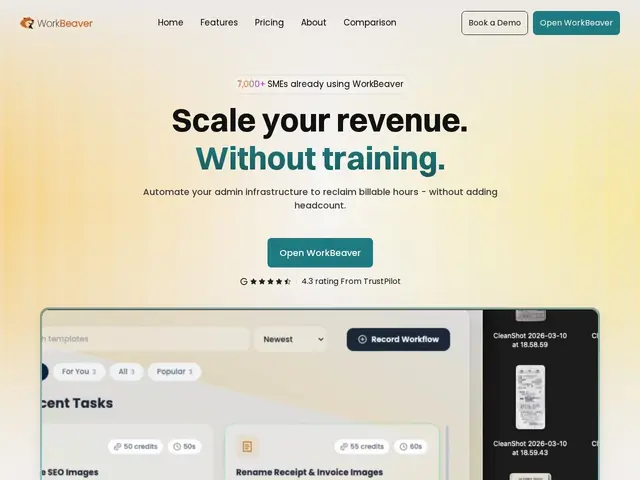
Description
A lot of automation tools require someone to build a workflow with triggers, conditions and API connections — which is fine if the task lives inside an app with an API, and a dead end if it's a website or program that doesn't have one. WorkBeaver skips that step entirely: you show it the task once, on your own screen, and it learns to do it the same way a person would.
WorkBeaver runs locally on Mac or Windows and works directly in the browser or with local files, without needing integrations or API connections — its "Teach by Showing" setup means you demonstrate filling out a form, sending an email, or updating a record, and it replicates the actions going forward. It includes self-healing navigation (so small page changes don't break the automation), visual AI to recognize what's on screen, local file management, and a library of pre-built automation templates, marketed toward SMEs and enterprises in sectors like venture capital, healthcare, accounting, legal operations, property management, and supply chain.
💬 Our review
The short version: WorkBeaver's "just show it once" pitch solves a real gap — the huge number of repetitive tasks that live in websites and desktop programs with no API to hook into, which is exactly where Zapier-style automation tools can't reach.
The pricing structure is worth reading carefully: the free tier is a one-time allowance (25 simple / 10 medium / 4 complex runs), not a recurring monthly quota, so it's really a trial rather than a permanently free plan, and Priority Reservation at $21.95/month jumps to $99/month for Founder Access with meaningfully higher run limits — the "grandfathered pricing" push suggests rates will rise later, so early adopters get a real discount if they're confident they'll stick with it. It's a strong fit for the specific niche of screen-based, API-less repetitive work (data entry into legacy systems, form filling on sites without integrations); for anything that already has a clean API, a traditional automation tool like Zapier or Make will likely be more reliable and cheaper.
💰 Pricing
📊 Global score
🤖 AI-enriched data
Gratuit : 25 exécutions simples / 10 moyennes / 4 complexes, one-shot (pas récurrent). Priority Reservation : 21,95 $/mois (500/200/80 exécutions). Founder Access : 99 $/mois (2000/800/240 exécutions). Tarifs "grandfathered" verrouillés pour les premiers utilisateurs.
Pros
Automatisation par démonstration ("Teach by Showing"), aucune API ni intégration requise
Fonctionne sur n'importe quel site ou logiciel local, même sans API — là où Zapier ne peut pas aller
Navigation auto-réparatrice qui résiste aux petits changements d'interface
Tarifs verrouillés ("grandfathered") pour les premiers utilisateurs avant hausse de prix
Cons
Le palier "gratuit" est un quota ponctuel, pas un abonnement gratuit récurrent — c'est un essai déguisé
Passage direct de 21,95 $/mois à 99 $/mois pour un vrai volume d'exécutions
Pour toute tâche déjà couverte par une API propre, un outil classique comme Zapier reste plus fiable et moins cher