Superflow
AI agents that crawl your website before launch and flag broken links, wrong info, and brand violations with screenshots attached.
🔗 Visit Superflow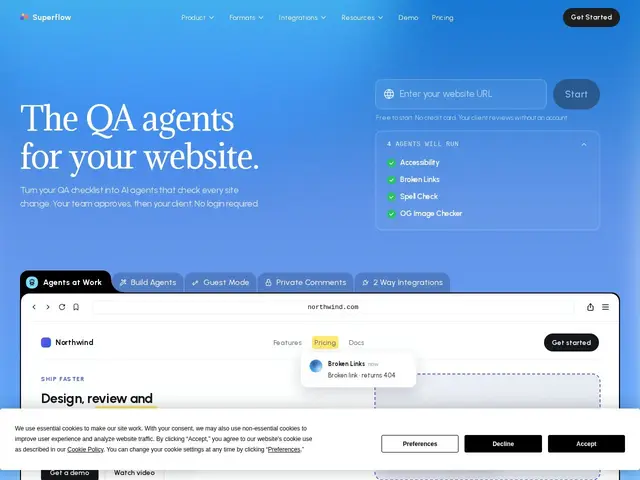
Description
Anyone who has shipped a website knows the last mile: someone has to click through every page, on desktop and mobile, checking for broken links, outdated pricing, and typos before it goes live — and that someone usually does it by hand, at the worst possible time. Superflow turns that manual checklist into a team of AI agents that do the clicking for you.
Superflow converts a QA checklist you already use into AI agents that sweep every page of a site, on desktop and mobile, and pin each finding directly on the live page with an auto-generated screenshot — broken links, wrong phone numbers, stale pricing, brand-guide violations. Rejected findings stop reappearing and misses become checks on future crawls, so the agent set improves the more you use it. It works across Webflow, Framer, WordPress, Shopify, Next.js and Netlify, and a guest mode lets clients approve or comment on findings without creating an account, which keeps client review loops out of another tool.
💬 Our review
The short version: Superflow replaces the pre-launch "someone click through every page" ritual with agents that actually remember what you rejected last time, which is the detail that makes this more than a glorified link checker.
The catch is the pricing model: it runs on AI credits, and the free tier's 60 credits a month cover roughly six agent reviews — fine for testing, not for a real workflow with recurring client sites. Growth and Scale plans ($24-34/seat/month) are reasonable for an agency running QA on multiple client sites every sprint, but a freelancer shipping one site a month will find the credit math awkward next to just clicking through it manually. Compared to a general browser-testing tool like BrowserStack, Superflow is narrower and more content-focused — it won't replace deep cross-browser regression testing, but it's faster to set up for the "did we break something obvious before launch" pass most teams actually need.
💰 Pricing
📊 Global score
🤖 AI-enriched data
Starter gratuit : 1 projet, 1 siège, 60 crédits IA/mois (~6 revues). Growth : 24-29 $/siège/mois, projets illimités, 300 crédits/mois. Scale : 28-34 $/siège/mois, 600 crédits/mois. Enterprise sur devis. Essai gratuit de 10 jours, 500 crédits bonus à la création d'un workspace.
Pros
Convertit une checklist QA existante en agents autonomes
Commentaires épinglés avec captures d'écran auto-générées
Mode invité : validation client sans création de compte
Compatible Webflow, Framer, WordPress, Shopify, Next.js, Netlify
Cons
Modèle à crédits IA — le palier gratuit (60 crédits) ne couvre qu'environ 6 revues par mois
Projet et siège uniques sur le plan gratuit
Stockage limité (1 Go) sur les paliers d'entrée
Nécessite des packs de crédits additionnels au-delà du forfait