Screencap
Records how your team actually works on a Mac — screen, clicks, keystrokes — and turns it into labeled data for training AI models.
🔗 Visit Screencap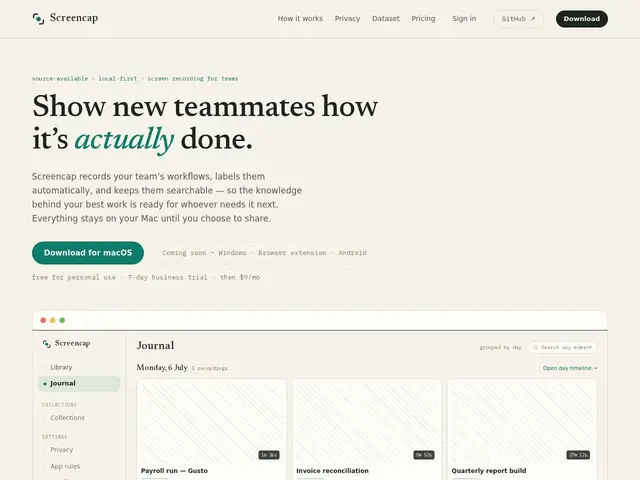
Description
Teaching an AI agent to actually operate software the way a human does requires real examples of humans doing exactly that — not a training video, but the raw screen, clicks, and context of someone getting real work done. Screencap exists to capture that, consensually, without turning it into a privacy nightmare.
Screencap runs on macOS and records screen, clicks, keystrokes and window context, using on-device AI to automatically split raw footage into labeled tasks and index every spoken word and on-screen moment, all stored locally by default. Sensitive applications like password managers and banking are blocked before anything is written, emails and chat content are masked during recording, and every trace is scrubbed and reviewed before it can leave the machine or be shared. While recording, it can query connected MCP servers (Gusto, Attio, Linear, Notion, or custom ones) to attach real business context — the payroll run, the CRM record — directly to the video, and viewers can open the live record from inside the footage. It's source-available on GitHub, with an optional encrypted cloud backup for shared content.
💬 Our review
The short version: Screencap's actual product is trust, not just recording — sensitive apps like password managers and banking are blocked before anything is written, emails and chats are masked, and every trace is scrubbed and reviewed before it leaves the machine, which is the bar a screen-recording-for-AI-training tool has to clear to be usable at all.
On-device AI splits raw footage into labeled tasks automatically, and it can query connected MCP servers (Gusto, Attio, Linear, Notion, and custom ones) during recording to attach real business context — the payroll run, the CRM record — to the video, which is a genuinely clever way to make screen recordings searchable rather than just archived. The catch: it's macOS-only (Apple silicon, macOS 14+), and it's "source-available" under a noncommercial license rather than truly open source, so commercial use requires a paid license despite the code being visible. At $9-20/month for personal use plus contact-for-pricing team plans, it's a reasonable bet if you're specifically building computer-use or MCP-connected AI agents and need consented, labeled workflow data; overkill if you just want screen recording for documentation, where a simpler tool is cheaper.
💰 Pricing
📊 Global score
🤖 AI-enriched data
Gratuit pour usage personnel. Payant : 9 $/mois (ce Mac uniquement), 20 $/mois (cloud personnel), tarif sur devis pour le cloud d'équipe. Essai commercial de 7 jours.
Pros
Blocage des apps sensibles (gestionnaires de mots de passe, banques) avant tout enregistrement
Segmentation et étiquetage automatiques des tâches par IA embarquée
Intégration MCP pour capturer le contexte métier réel pendant l'enregistrement
Nettoyage des données personnelles/secrets avant tout partage
Cons
macOS uniquement (Apple silicon, macOS 14+) — pas de Windows/Linux pour l'instant
« Source-available » sous licence non-commerciale, pas open source au sens strict
Usage commercial nécessite une licence payante malgré le code visible
Support Windows, extension navigateur et Android encore en développement