ProtoNote
Drop in a prototype, screenshot or PDF, send the link, and get feedback pinned to the exact spot on the page — no account needed for whoever's reviewing it.
🔗 Visit ProtoNote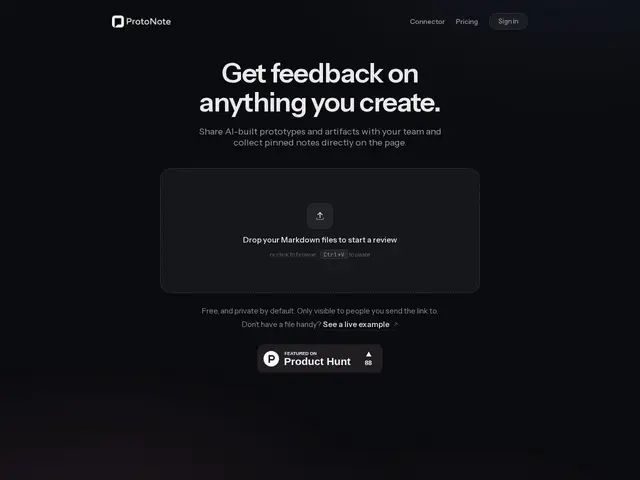
Description
Getting feedback on a design or prototype usually means a back-and-forth of screenshots, arrows drawn in someone's photo app, and comments that say "the button near the top" instead of pointing at the actual button. ProtoNote fixes the pointing problem: upload an HTML prototype, image or PDF, share a link, and whoever opens it can leave a note pinned to the exact pixel they're talking about — no account required, just a name.
It's built for the fast, informal review loop that happens constantly during design and prototyping work: a manager or client can review and leave notes in seconds, and everything is organized in a permanent dashboard with folders and version history so old feedback doesn't get lost when you upload a new version. The standout feature is a Claude connector that lets you turn anything you build in a Claude conversation directly into a ProtoNote link, then pull incoming notes back into Claude to apply the changes — closing the loop between building, reviewing and fixing without leaving the chat.
💬 Our review
The short version: ProtoNote solves one specific, well-known annoyance — vague feedback like "that button near the top" — by pinning every comment to an exact spot, and its Claude connector is the kind of small integration that actually saves real time if you're iterating on prototypes inside Claude.
The no-account-required reviewer flow is the right call: the person giving feedback is rarely the person who cares about signing up for a new tool, and removing that friction is what actually gets feedback collected instead of skipped. At $10/month for unlimited prototypes after a genuinely usable free tier (3 active prototypes, unlimited reviewers and notes), it's cheap enough that price isn't really the deciding factor — the question is whether you need this at all versus just screen-sharing or using comments already built into Figma or your existing design tool. If your team already lives in Figma, its native commenting may cover this need for free; ProtoNote earns its place specifically for HTML/PDF prototypes and AI-generated builds (especially from Claude) that don't have a native commenting layer of their own.
💰 Pricing
📊 Global score
🤖 AI-enriched data
Free : 3 prototypes actifs, retours et lecteurs illimités — Pro : 10 $/mois, prototypes illimités + historique de versions. Consulter et laisser des notes reste gratuit pour les relecteurs.
Pros
Retours épinglés à l'endroit exact de la page
Aucun compte requis pour les relecteurs
Connecteur Claude pour publier et récupérer les retours sans quitter le chat
Palier gratuit réellement utilisable (3 prototypes, retours illimités)
Cons
Fait doublon avec les commentaires natifs de Figma pour les équipes déjà équipées
Utile surtout pour prototypes HTML/PDF, moins pour les designs déjà dans un outil avec commentaires intégrés
Produit jeune, peu de recul sur la fiabilité à grande échelle