VidShift
A free, browser-based video and audio converter that processes files locally on your device so nothing is ever uploaded to a server.
🔗 Visit VidShift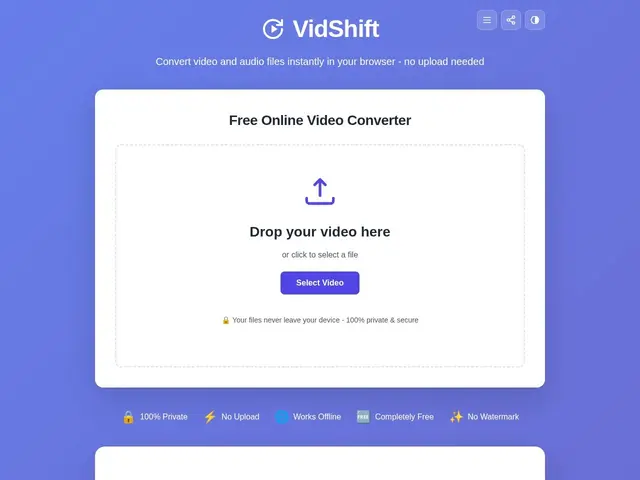
Description
Most online video converters make you upload your file to someone else's server, wait, and hope it doesn't get watermarked, size-capped or held behind a paywall. VidShift skips that entirely: the conversion happens inside your own browser, using your computer's power instead of a remote one, so your video never leaves your device — and it's completely free, with no account, no signup and no file size limit.
Built on WebAssembly and the WebCodecs API (via the Mediabunny framework), it converts between common video formats (MP4, WebM, MKV, MOV, M4V, MPEG, OGV) and audio formats (MP3, AAC, WAV, FLAC, OGG), and also handles compression, trimming, watermarking, GIF conversion, frame extraction and resolution scaling. It works offline after the first load thanks to service worker caching, and is best used in Chrome or Edge on desktop. It's made by Convert Case Ltd, a small UK-registered company, with no dedicated pricing or help pages beyond the homepage.
💬 Our review
The short version: for privacy-conscious users or anyone tired of upload limits and watermarks on "free" converters, VidShift's local-processing approach is a genuinely different and better model — the file never leaves your machine, and there's truly no catch.
The trade-off is that local, in-browser processing depends on your own device's power, so very large files or lower-end hardware will be slower than a cloud-based converter that throws server resources at the job. It's also a minimal, single-purpose tool with no account, dashboard or advanced editing — if you need more than format conversion and basic trims (color grading, multi-track editing), you'll still need a real editor like DaVinci Resolve or CapCut. But for the specific job of converting or lightly trimming a file without uploading it anywhere, it's hard to beat free and private.
💰 Pricing
📊 Global score
🤖 AI-enriched data
Aucun abonnement, aucune inscription, aucune limite de taille de fichier. Traitement local dans le navigateur.
Pros
100% gratuit, sans compte ni inscription
Traitement 100% local — le fichier ne quitte jamais l'appareil
Aucune limite de taille de fichier
Fonctionne hors-ligne après le premier chargement
Cons
Dépend de la puissance de l'appareil de l'utilisateur — plus lent qu'un convertisseur cloud sur de gros fichiers
Pas d'édition avancée (montage multi-piste, étalonnage)
Pages d'aide et de tarifs quasi inexistantes
Fonctionne mieux sur Chrome/Edge desktop, moins fiable ailleurs