Captioner
Converts video into accurate subtitles in 98+ languages using Whisper-based AI, with word-level timing and burned-in subtitle export.
🔗 Visit Captioner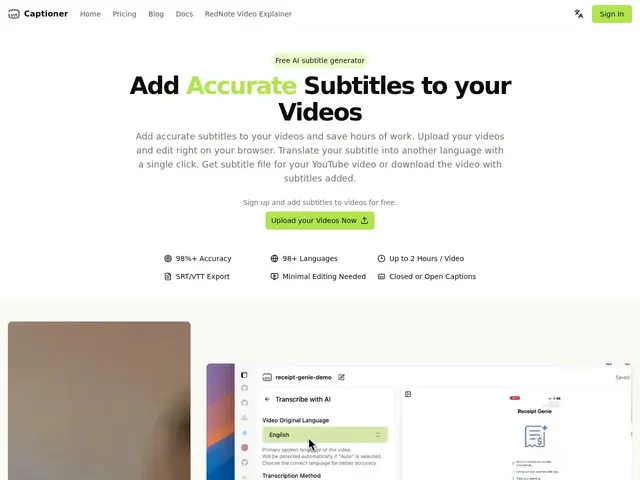
Description
Adding subtitles to a video by hand — listening, typing, timing each line — can easily take longer than the video itself. Captioner automates that: upload a video and it transcribes the speech into text with precise, word-by-word timing, then lets you edit and export it as a subtitle file or a version of the video with the subtitles burned directly into the picture.
It's built on OpenAI's Whisper model, tuned specifically for video subtitles, claims 98%+ accuracy across 98+ languages, and includes built-in voice extraction to handle background noise. It supports files up to 2 hours and 2GB (MP4/MOV), exports to SRT, VTT or SBV, and offers browser-based editing and translation. It's aimed at content creators, video publishers and translators who need subtitles regularly, with processing times of roughly 5–10 minutes for a 5-minute video.
💬 Our review
The short version: built on Whisper and tuned for subtitle-specific timing, Captioner does the tedious part of subtitling — accurate, word-level timestamps — reliably enough that the free tier alone (60 one-time credits) is worth trying before touching YouTube's built-in auto-captions.
Pricing is credit-based and fairly granular: Basic at $10/month buys about 5 hours of processing, Creator at $20/month adds 4K export and roughly 20 hours. The free tier is generous for a one-off video but restricts subtitle file exports to paid plans, so you'll hit a wall quickly if you need the actual .srt file rather than just a watermarked video. Against YouTube's free native auto-sync captions, Captioner's edge is multi-language support, editing control and clean exports without a watermark — worth paying for once you're publishing regularly rather than once a month.
💰 Pricing
📊 Global score
🤖 AI-enriched data
Free : 60 crédits ponctuels (~60 min), watermark — Basic : 10 $/mois (300 crédits, ~5h) — Creator : 20 $/mois (1200 crédits, ~20h, export 4K). Pass à la semaine : 7 $ (120 crédits + fonctions Creator 7 jours).
Pros
Précision revendiquée de 98%+ sur 98+ langues
Timing mot par mot basé sur Whisper (OpenAI)
Export en SRT/VTT/SBV ou vidéo avec sous-titres incrustés
Extraction vocale intégrée pour l'audio bruité
Cons
Export du fichier de sous-titres réservé aux plans payants
Limite de 2h/2 Go par fichier
Pas de plan illimité — tout est au crédit
Peu d'informations sur l'entreprise (Botisan AI) au-delà du site