CaptionCreator
Auto-generates subtitles and translations for video and audio in 76 languages, in under 3 minutes per file.
🔗 Visit CaptionCreator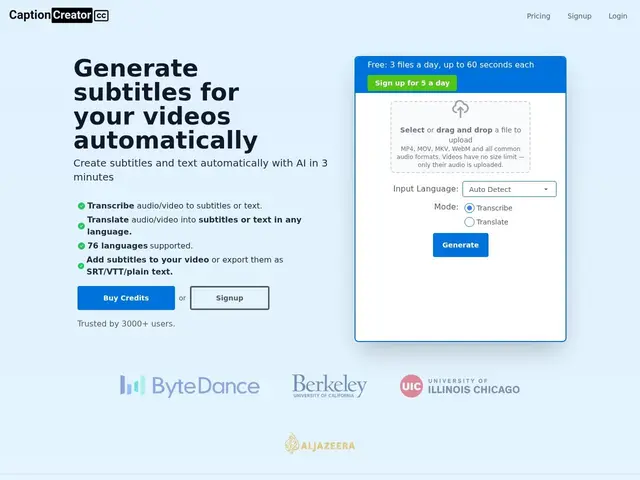
Description
Manually writing subtitles for a video, especially in a language you don't speak, is slow and error-prone. CaptionCreator handles both the transcription and the translation automatically: upload audio or video and it returns text or subtitle files in any of 76 supported languages, typically in under three minutes regardless of the video's length.
It handles noisy audio and multiple accents, supports multilingual source audio, and includes a built-in subtitle editing studio with styling options before export. Output formats are SRT, VTT or plain text, with export quality up to 4K on paid plans (1080p on free). The site lists clients including ByteDance, UC Berkeley and Al Jazeera, and claims 3,000+ users. It's aimed at content creators and video producers working across both short-form and long-form content.
💬 Our review
The short version: sub-3-minute turnaround plus 76-language translation in one pass makes CaptionCreator a solid pick for creators who need to localize content fast, not just caption it in the source language.
The free tier is tight — 5 files a day, capped at 1 minute each, with a watermark — so it's really a quality test rather than something usable for real output. Basic at $10/month (300 minutes) and Pro at $25/month (1,000+ minutes, unlimited file length) are competitively priced against similar captioning tools, and the 30-day refund policy on unused credits lowers the risk of trying a paid tier. If you only need captions in the original language with no translation, a simpler tool or even YouTube's free auto-captions may suffice; CaptionCreator earns its keep specifically when translation into other languages is part of the job.
💰 Pricing
📊 Global score
🤖 AI-enriched data
Free : 5 fichiers/jour, 1 min max, watermark — Basic : 10 $/mois (300 crédits/min) — Pro : 25 $/mois (1000+ crédits, durée illimitée). Remboursement possible sous 30 jours (crédits non utilisés).
Pros
Traduction dans 76 langues en plus de la transcription
Traitement en moins de 3 minutes quelle que soit la durée
Studio d'édition de sous-titres intégré
Politique de remboursement de 30 jours sur les crédits non utilisés
Cons
Offre gratuite très restrictive (5 fichiers/jour, 1 min max)
Crédits mensuels non reportables d'un mois sur l'autre
Modèle de transcription/traduction utilisé non précisé
Marché très concurrentiel avec des outils similaires (Captioner.io, etc.)