Kane CLI
Describe a browser test in plain English from your terminal, and Kane CLI runs it in a real Chrome browser — no selectors, no brittle Playwright scripts to maintain every time the UI changes.
🔗 Visit Kane CLI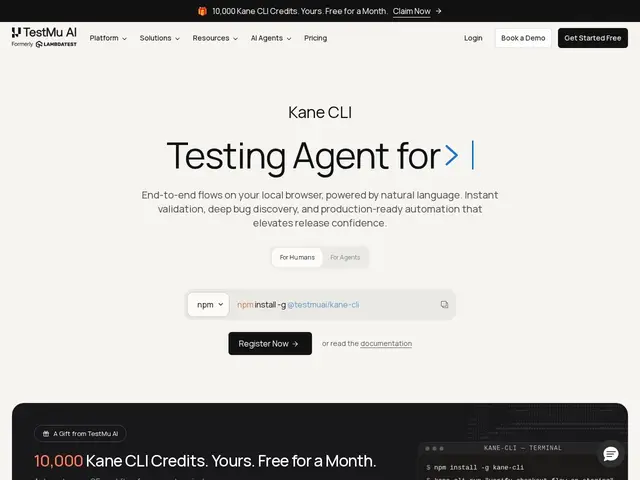
Description
Browser test scripts break constantly because they're built on CSS selectors and DOM structure that change every time a designer tweaks the UI — anyone who's maintained a Selenium or Playwright test suite knows the maintenance tax. Kane CLI, from TestMu AI (formerly LambdaTest), takes a different approach: you describe what you want tested in plain English, from your terminal, IDE or CI pipeline, and it drives a real Chrome browser to navigate, click, fill forms and validate outcomes without you writing selectors.
It supports a "testmd" workflow where you commit a Markdown file with plain-English steps — the first run works out how to execute them and saves a recording, and every subsequent run replays from that cache in seconds with no further LLM cost. DevTools Assertions extend validation beyond the visible UI to underlying browser signals. It also supports native mobile app testing on virtual devices. The CLI itself is free to install via npm; execution requires a TestMu AI account, with a promotional offer of 10,000 free credits for a month, after which usage draws against your TestMu AI plan.
💬 Our review
The short version: Kane CLI's core idea — describe tests in English once, replay from cache afterward with no ongoing LLM cost — solves the real maintenance burden of selector-based testing without paying AI inference costs on every single test run, which is a smart cost structure most AI-testing tools don't have.
Against traditional Playwright or Selenium, Kane CLI trades some precision and debuggability for dramatically less maintenance — you're not chasing broken selectors every UI change, but you're also trusting an AI's interpretation of "plain English" steps, which can be less predictable for very specific edge-case assertions. Against other AI browser-testing tools, its tie-in to TestMu AI's broader QA platform (KaneAI dashboard, cloud execution grid) is a plus if you're already in that ecosystem and a lock-in concern if you're not. Free to install and try, with the caching mechanism making ongoing costs reasonable — worth evaluating for teams tired of selector maintenance, especially those already using AI coding agents that can benefit from Kane CLI's agent-native design.
💰 Pricing
📊 Global score
🤖 AI-enriched data
CLI gratuit via npm. Exécution locale gratuite ; exécution cloud facturée sur le plan TestMu AI. Offre promo : 10 000 crédits gratuits pendant 1 mois.
Pros
Tests décrits en anglais simple, sans sélecteurs à maintenir
Rejoue depuis le cache après le premier run, sans coût LLM récurrent
DevTools Assertions au-delà de la simple validation UI
Support natif mobile en plus du navigateur
Cons
Compte TestMu AI requis pour l'exécution
Moins de précision que des sélecteurs explicites pour cas très spécifiques
Lie à l'écosystème TestMu AI (dashboard KaneAI)
Coût cloud au-delà du crédit promotionnel initial