Glima AI
One subscription for AI image, video and audio generation instead of paying separately for a Midjourney-style tool, a video generator, and a voice-cloning app.
🔗 Visit Glima AI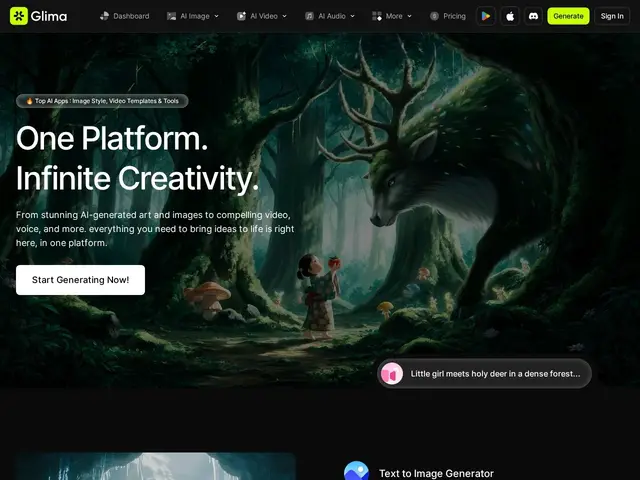
Description
Anyone doing serious AI-assisted content work usually ends up with a stack of separate subscriptions — one for images, another for video, another for voice — each with its own credits and its own bill. Glima's pitch is consolidation: one platform, one subscription, all three media types plus the editing tools around them.
Glima AI is an all-in-one AI content-creation platform generating images, video, and audio from text prompts, with over 100 stylized models spanning anime, 3D, and photorealistic styles. Beyond generation, it includes editing tools — object removal, watermark removal, background removal, face swap, video upscaling, style transformation, lip sync, a "clothes changer" — plus audio tools for text-to-speech, voice cloning, and music generation, and a virtual try-on feature. All tiers get priority processing, with credits and concurrent-task limits scaling by plan.
💬 Our review
The short version: if you're currently juggling separate subscriptions for image generation, video generation, and voice tools, Glima's consolidated pricing (from $18/month) is worth comparing against your combined current spend before renewing everything separately.
Its real advantage over single-purpose tools like Midjourney (images only) or ElevenLabs (voice only) is breadth — one subscription covering image, video, and audio generation plus a fairly deep editing toolkit (face swap, lip sync, virtual try-on) is genuinely convenient if you need more than one media type regularly. The trade-off with any all-in-one tool is depth: a specialist tool built around just one media type (Midjourney for images, Runway for video) tends to stay ahead on quality and feature depth for that specific format, so a professional doing high-volume work in a single medium may still get better results from the specialist. There's also no free tier at all, so you're committing to at least $18/month (or $14 annually) before testing quality on your own use case. Best fit: creators, marketers, and small teams who need to touch multiple media types (image + video + audio) regularly and want one bill instead of three. Weaker fit: a specialist who only ever needs one media type at professional quality — a dedicated tool in that specific format will likely outperform.
💰 Pricing
📊 Global score
🤖 AI-enriched data
Lite : 18 $/mois. Prime : 36 $/mois. Studio : 72 $/mois. -20% en facturation annuelle (14/29/58 $/mois). Pas de palier gratuit.
Pros
Un seul abonnement pour image, vidéo ET audio — évite de cumuler plusieurs outils spécialisés
100+ modèles stylisés (anime, 3D, photoréaliste)
Boîte à outils d'édition étendue : face swap, lip sync, essayage virtuel
Traitement prioritaire inclus sur tous les plans
Cons
Aucun palier gratuit — engagement minimum de 18 $/mois pour tester
Un outil spécialisé (Midjourney, Runway) reste probablement plus pointu sur un seul type de média
Pertinence surtout pour qui a besoin de plusieurs médias régulièrement, pas d'un usage ponctuel
Qualité par média à vérifier soi-même face aux leaders spécialisés de chaque catégorie