StreamGen
An AI tool that watches your Twitch streams, finds the funny or exciting moments, and turns them into ready-to-post TikTok and YouTube Shorts clips automatically.
🔗 Visit StreamGen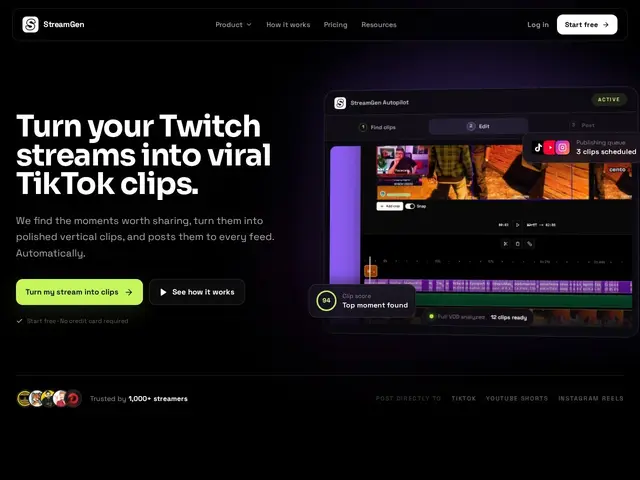
Description
Every streamer knows the pain: you just did a 4-hour stream, and somewhere in there were three genuinely great moments — but finding them means scrubbing through hours of footage. StreamGen automates that hunt: feed it your stream or VOD, and it flags the highlights, cuts them into vertical clips, and gets them ready to post on TikTok, YouTube Shorts and Instagram Reels.
The platform combines AI clip detection with an editor for polishing captions, transitions and framing, plus a post-scheduler so clips go out automatically across platforms. Its "Autopilot" mode chains detection, editing and posting into a single automated pipeline, and a VOD editor (in beta) strips out dead air, loading screens and menu navigation from longer recordings so they're ready for a full re-edit in Premiere or DaVinci Resolve. Captions are supported in 90+ languages.
💬 Our review
The short version: if you're a Twitch streamer tired of manually clipping your own VODs, StreamGen automates the tedious part reasonably well for a genuinely low price — but it's a crowded space and the polish isn't quite at the level of the category leader.
Its closest comparison is OpusClip and StreamLadder, both of which do similar AI highlight-detection-plus-repurposing work, generally with more mature editing tools and broader platform support; StreamGen's edge is that it's specifically Twitch-native and cheap (plans start around $9/month vs. OpusClip's pricier tiers). Worth flagging: the pricing page returned a 404 during this review and the two paid tiers listed identical prices for different feature sets, which suggests the pricing page may be a work in progress — check current pricing before committing. For streamers on a budget who mainly need Twitch-to-TikTok automation, it's a fair deal; if you need best-in-class AI clip quality across many source platforms, OpusClip is the safer bet.
💰 Pricing
📊 Global score
🤖 AI-enriched data
Gratuit (3 streams/mois, 5 shorts/mois). Plus ~9$/mois (streams illimités de clips, planificateur social). Ultimate ~9-15$/mois (VOD editor, montages, automation complète) — page pricing incohérente au moment de la revue, à vérifier avant achat.
Pros
Détection automatique des meilleurs moments par IA
Publication automatique multi-plateforme (Autopilot)
Prix d'entrée très bas pour un streamer occasionnel
Cons
Page de tarifs incohérente/404 au moment de l'évaluation
VOD editor encore en bêta
Moins mature qu'OpusClip sur la qualité de détection IA